Designing a New Load Management Group
To design a new load management group, follow these steps:
- Navigate to Load Management > Design New Load Group. The following screen appears:
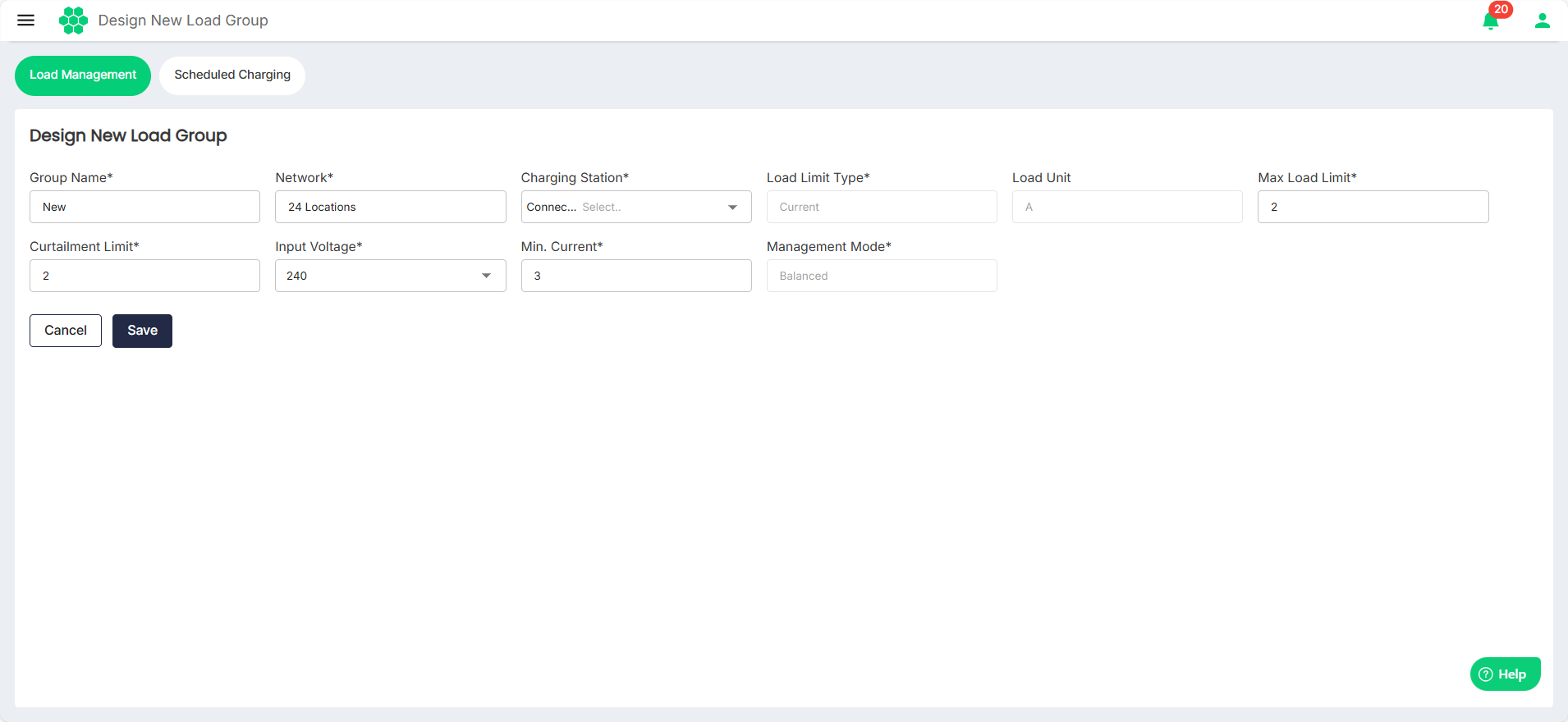
- Enter the following details:
- Group Name: Enter the name of the load management group.
- Network: Select the locations where the load group is being created.
- Charging Station: Select the stations that share the same load input for load management.
- Load Limit Type: Choose between current or power as the parameter for reducing the overall load of chargers.
- Max Load Limit: Maximum load allowed for the group.
- Curtailment Limit: Set this slightly less than the max load limit to ensure safe operation of EV chargers; the optimization algorithm uses this number to keep the overall load within limits.
- Input Voltage: Voltage provided to the chargers.
- Min Current: Minimum current required to keep each charger operational during load optimization.
- Management Mode: Mode used for load optimization.
- Balanced: This mode distributes the available load equally among all chargers.
noteFields marked with asterisk (*) are mandatory.
- Click Save.