Global Settings
| Document information | Value |
|---|---|
| Version | 1.0 |
| Prepared for | HIEV CPMS administrators and authorized business users |
| Interface reviewed | 4 August 2026 |
| Product area | Administration — Global Settings |
| Scope | Platform-wide default values for tariff and reservation behaviour |
1. Purpose
The Global Settings module stores default values used across the HIEV CPMS platform for the active business. These values provide a consistent baseline when a more specific configuration has not been defined at a lower level.
The reviewed interface contains two setting groups:
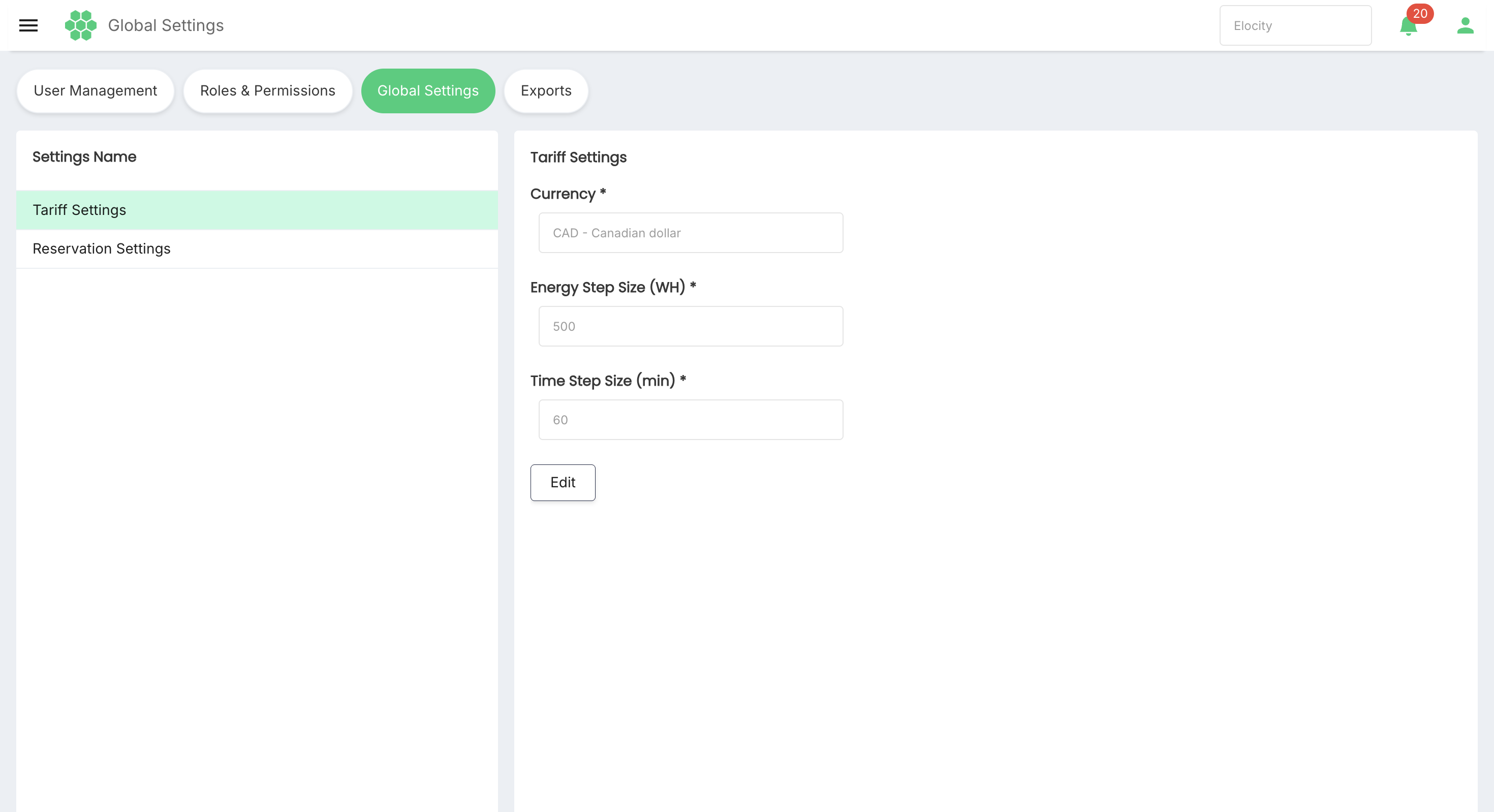
- Tariff Settings — default currency and tariff calculation step sizes.
- Reservation Settings — default reservation duration, payment type, and concurrency limits.
Important: Global Settings can affect many locations, stations, tariffs, reservations, invoices, and customer experiences. Review the scope and downstream impact before saving a change.
2. How global defaults work
A global setting is the business-level fallback used when no permitted override exists for the applicable object or workflow.
A typical configuration precedence is:
- A valid record-specific setting, such as a tariff or location configuration.
- A valid group, network, or regional setting.
- The business-level Global Setting.
- A platform fallback maintained by the system, if no business setting exists.
The exact override hierarchy depends on the HIEV deployment and feature configuration. Administrators should confirm the applicable precedence before assuming that a global change will replace every existing value.
2.1 Expected behaviour
Global defaults should:
- Apply consistently to newly created records when no specific value is supplied.
- Act as a fallback for existing records that inherit their settings.
- Not silently overwrite an explicit lower-level override unless the product rule says otherwise.
- Be isolated to the active business or tenant.
- Be validated before saving.
- Be recorded in an audit history with the previous and new values.
- Take effect according to the configured propagation and caching rules.
3. Roles and prerequisites
Before viewing or changing Global Settings, confirm that:
- You are signed in to the correct HIEV business account.
- Your role includes permission to view Global Settings.
- Your role includes edit permission if changes are required.
- The change has been approved by the responsible operations, finance, billing, or product owner.
- Existing location, tariff, and reservation overrides have been reviewed.
- The expected effect on active sessions, reservations, calculations, and invoices is understood.
- A rollback value and post-change test plan are available.
Read-only users may view the current values but should not see or be able to use editing actions beyond their permissions.
4. Navigate to Global Settings
- Sign in to HIEV CPMS.
- Confirm the active business in the business selector.
- Open Administration.
- Select Global Settings.
- Choose a setting group from Settings Name:
- Tariff Settings
- Reservation Settings
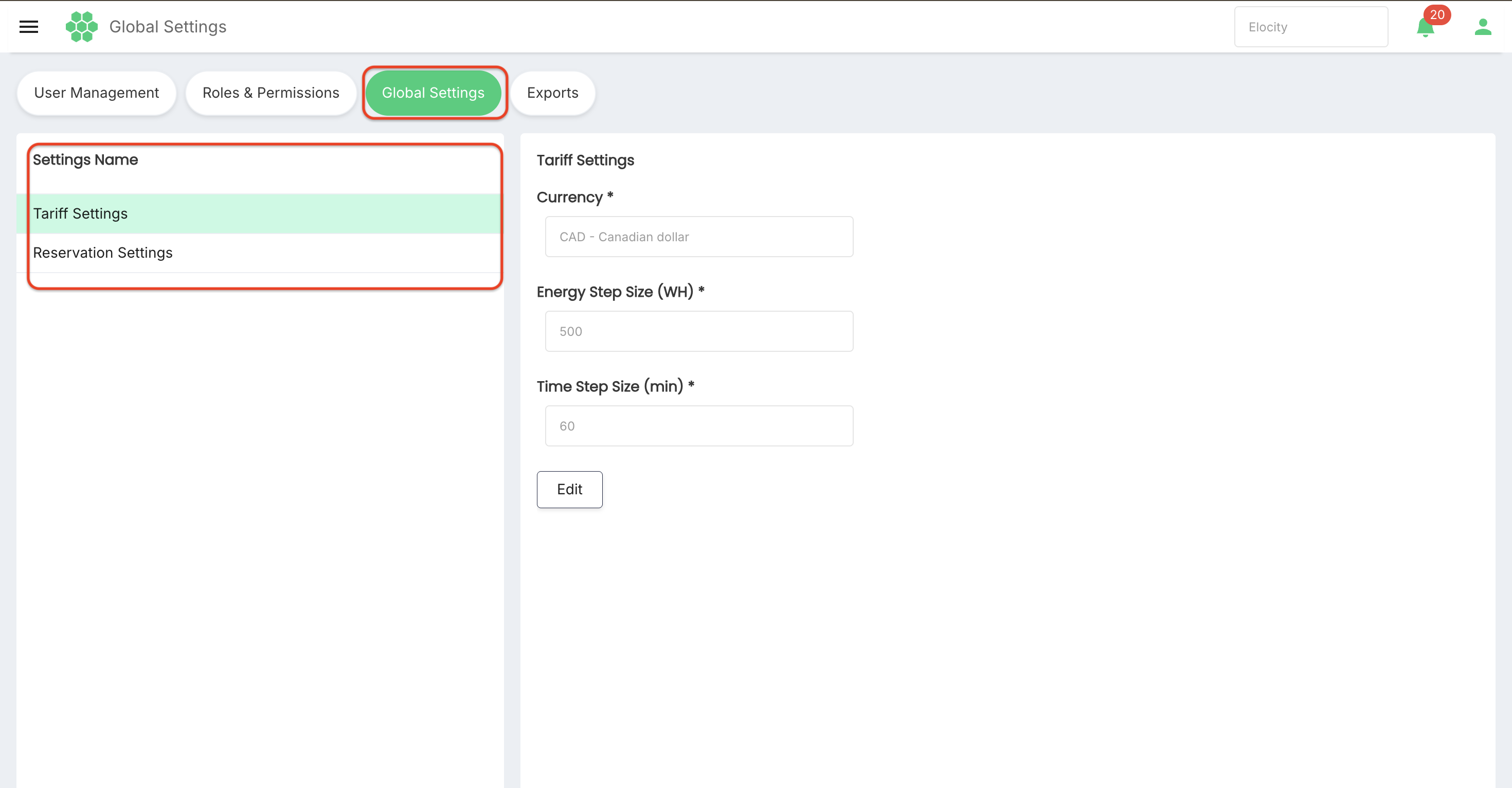
The selected setting group is highlighted and its current values appear in read-only mode.
5. Screen walkthrough
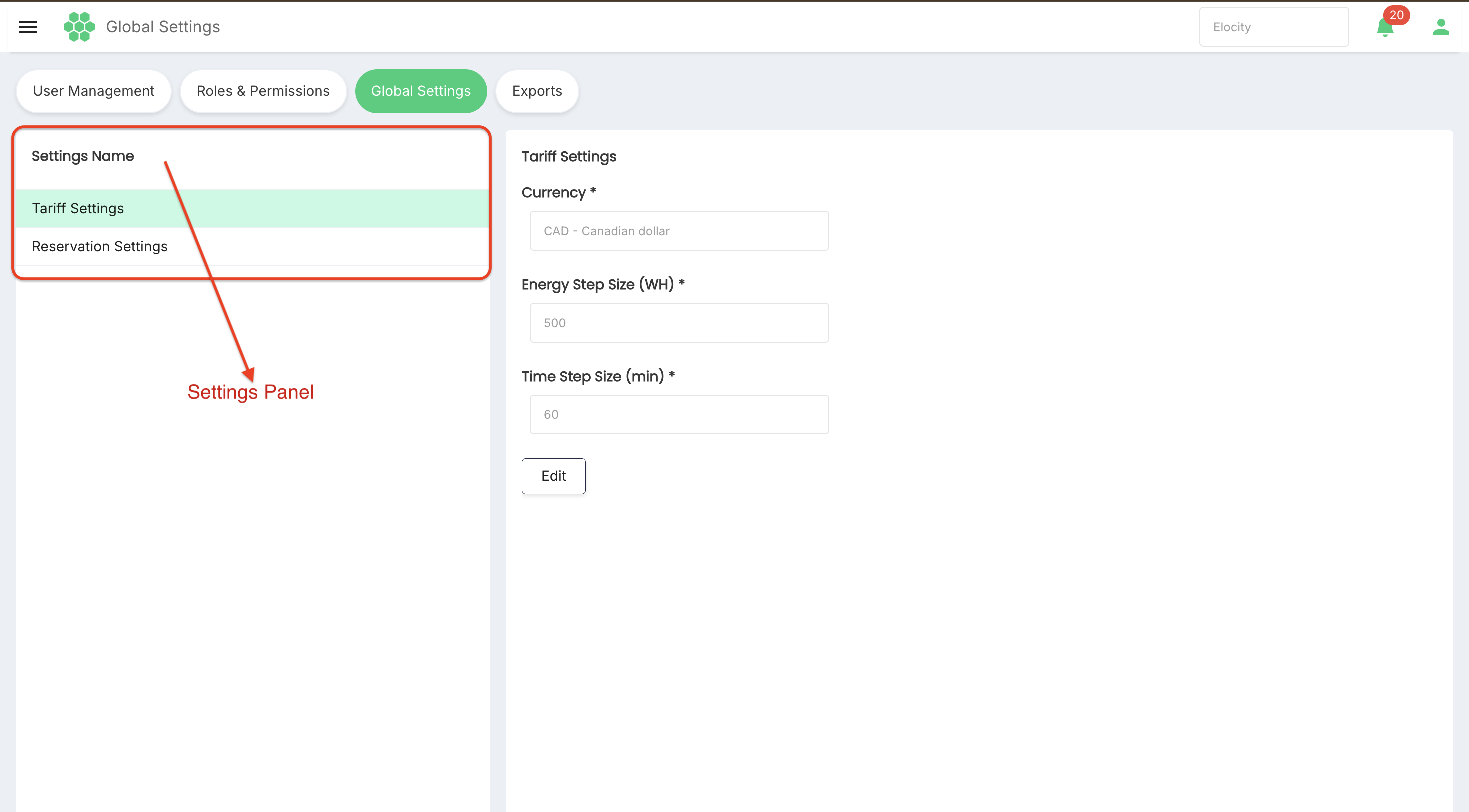
5.1 Settings Name panel
The left-side or settings-navigation panel lists the available groups. Select a group to display its fields.
5.2 Read-only mode
Settings initially appear as disabled fields. This prevents accidental changes while allowing an administrator to review the current defaults.
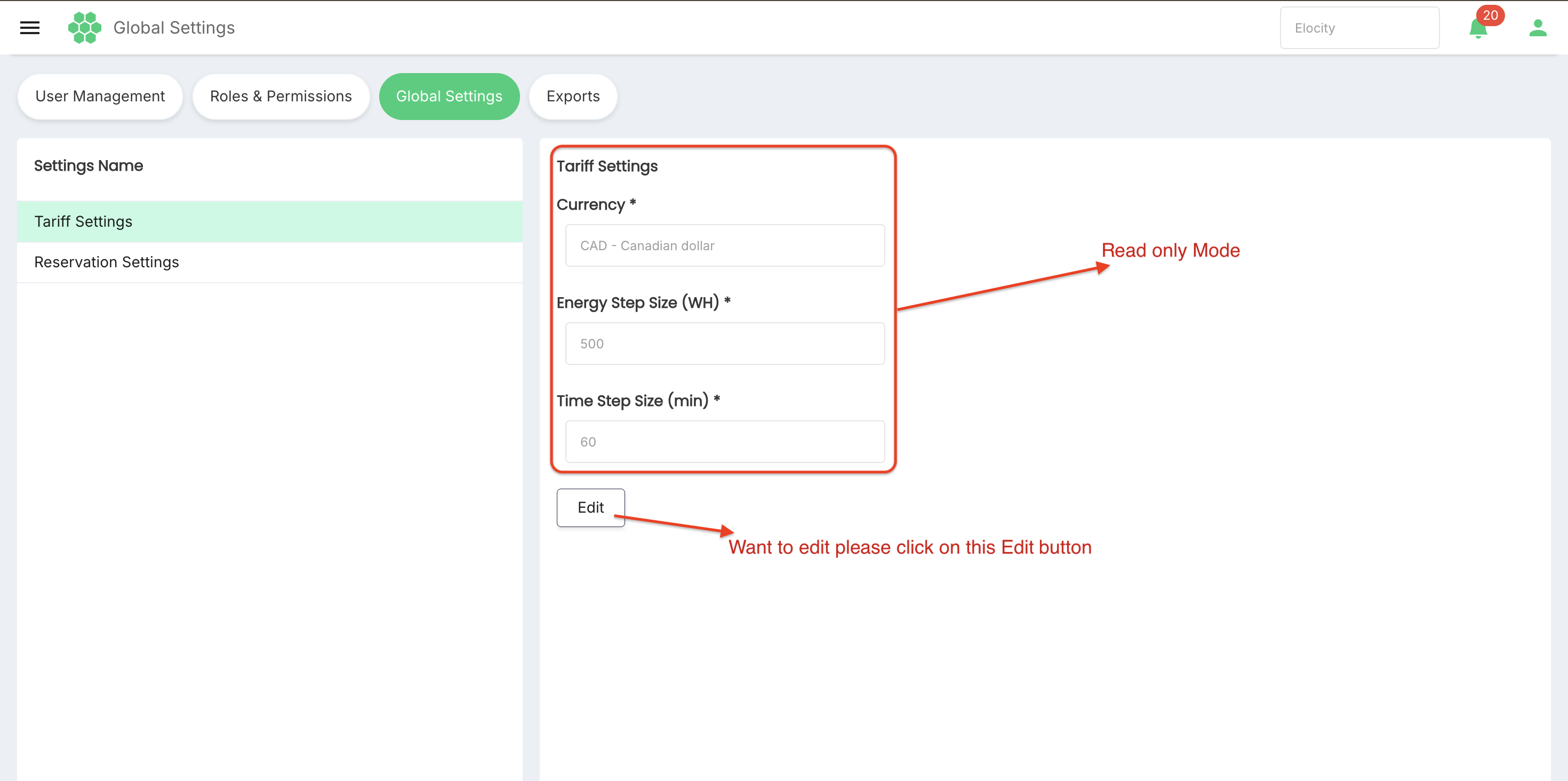
Select Edit to enter edit mode where permitted.
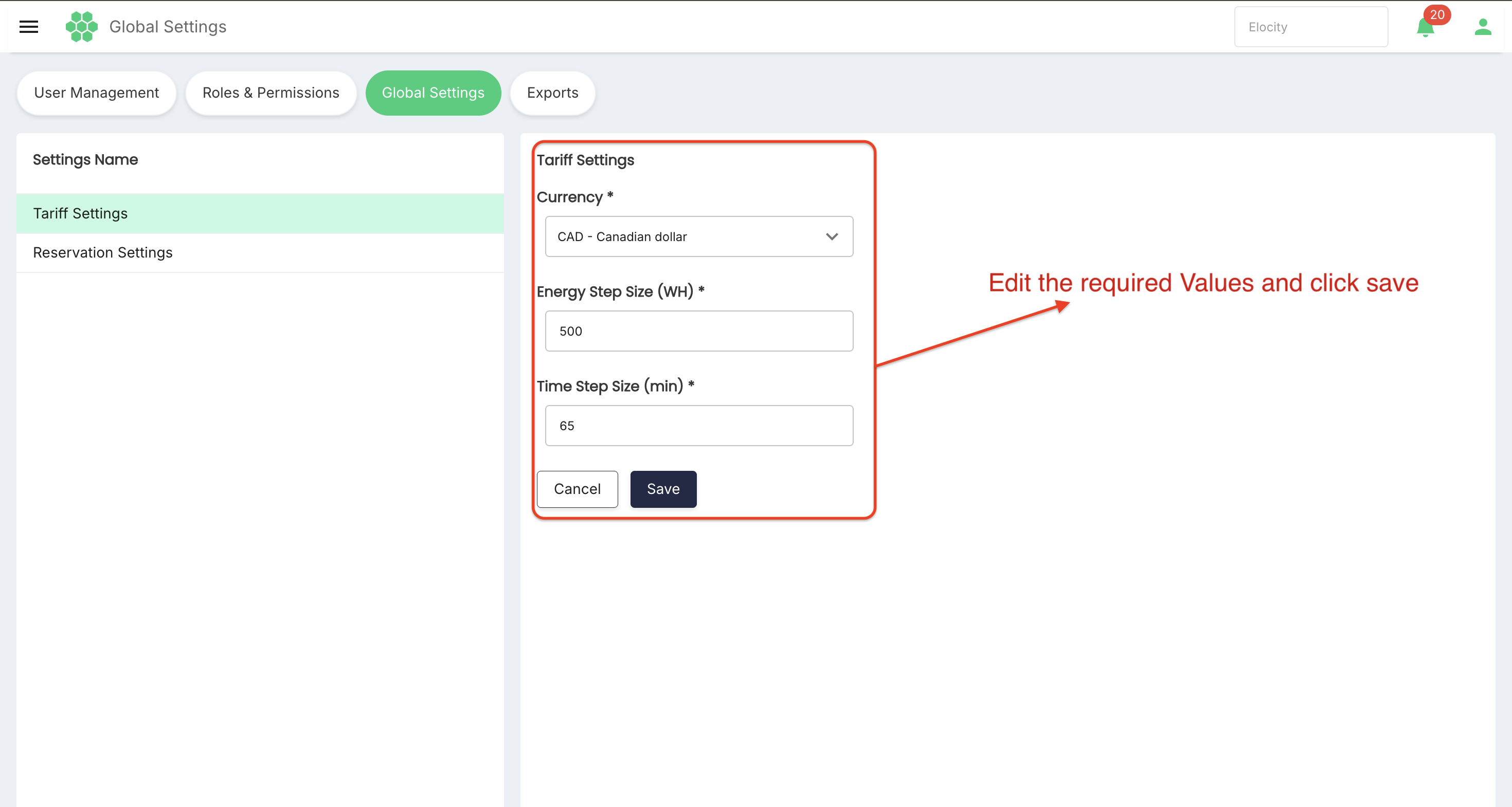
5.3 Edit mode
In edit mode:
- Editable controls become available.
- Fixed or system-controlled fields remain disabled.
- Required fields continue to display an asterisk (
*). - Save validates and submits the changes.
- Cancel discards unsaved changes and returns to read-only mode.
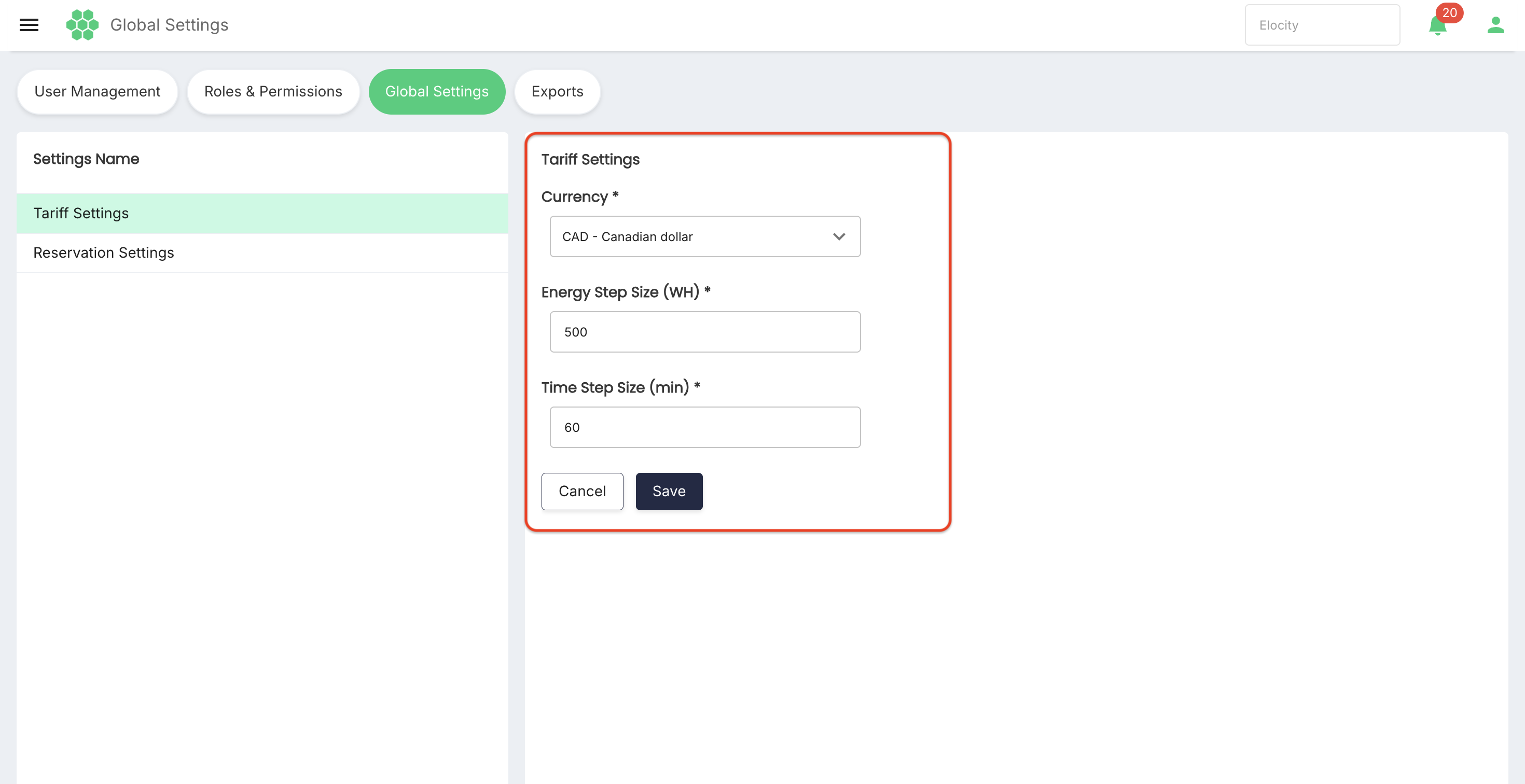
Do not navigate away from the page while an approved change is unsaved.
6. Tariff Settings
Tariff Settings define the business defaults used by tariff configuration and charging-cost calculations when more specific values are not provided.
6.1 Reviewed default values
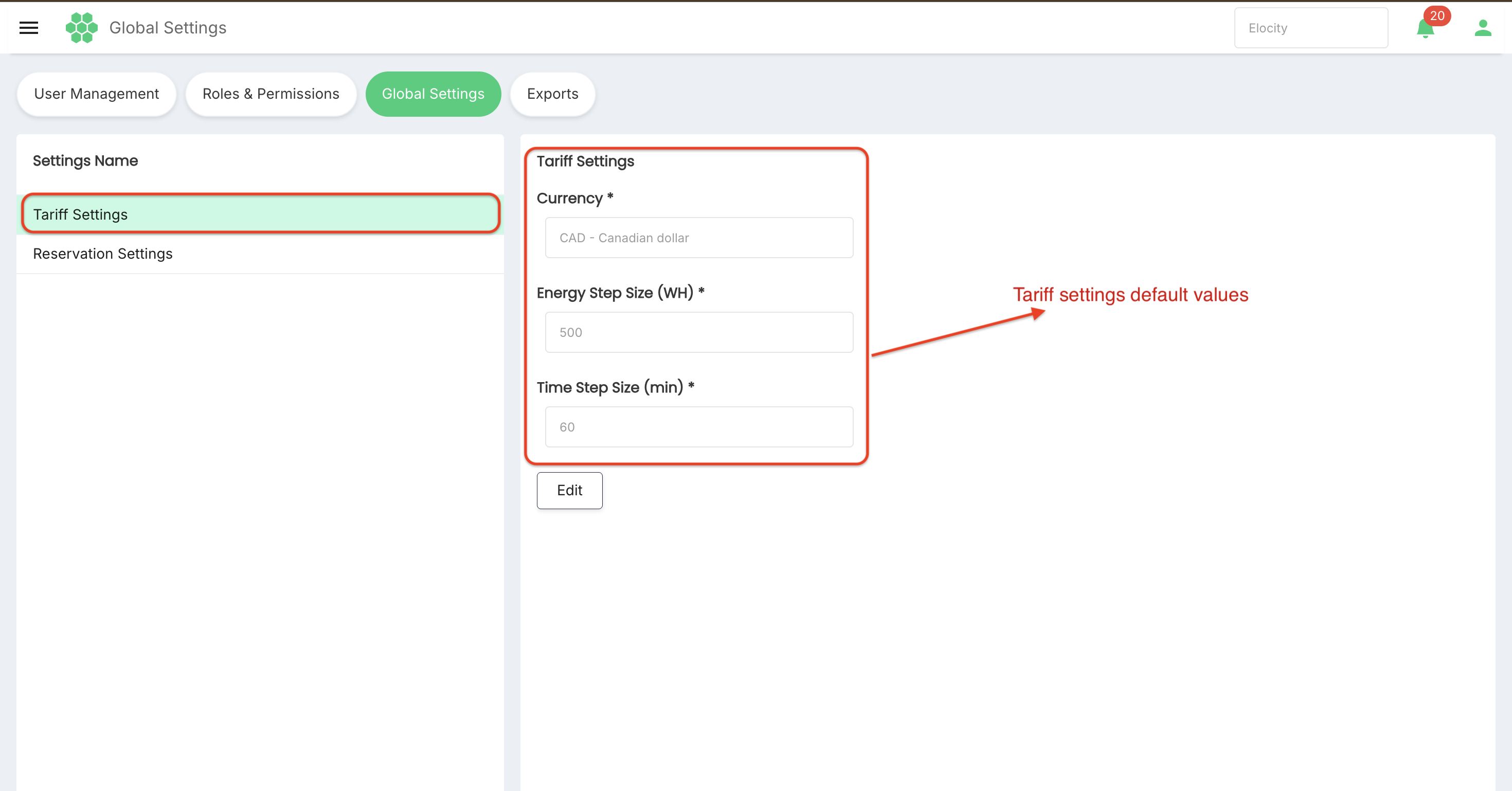
| Field | Current reviewed value | Purpose |
|---|---|---|
| Currency | CAD — Canadian dollar | Default monetary currency for tariff values and related billing displays. |
| Energy Step Size (WH) | 1 | Default energy increment, in watt-hours, used by step-based tariff calculations. |
| Time Step Size (min) | 60 | Default time increment, in minutes, used by step-based tariff calculations. |
All three fields are required in the reviewed interface.
6.2 Currency
Currency identifies the default currency used when tariff rates, prices, fees, and related amounts are created or displayed without another explicit currency.
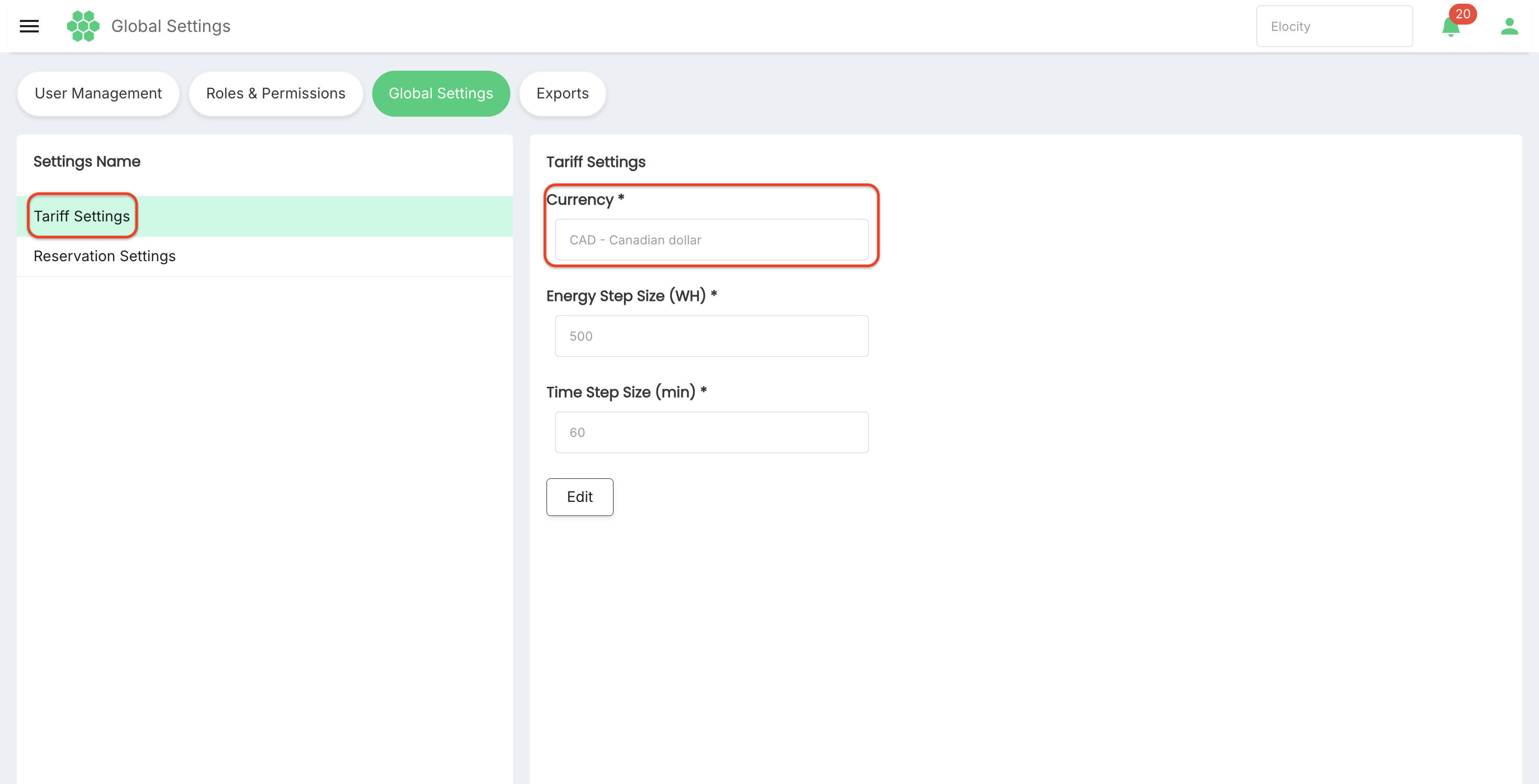 Operational guidance:
- Use the legally and commercially approved currency for the business.
- Confirm that tariff prices, taxes, invoices, payment processing, and reporting use compatible currency rules.
- Do not treat a currency change as an exchange-rate conversion.
- Existing financial records should retain the currency in which they were created.
- Test new tariff creation and invoice output after an approved change.
The reviewed Currency field is disabled in read-only mode. Whether it is editable can depend on permissions and tenant configuration.
6.3 Energy Step Size (WH)
Energy Step Size (WH) defines the default energy block used by tariff calculations.
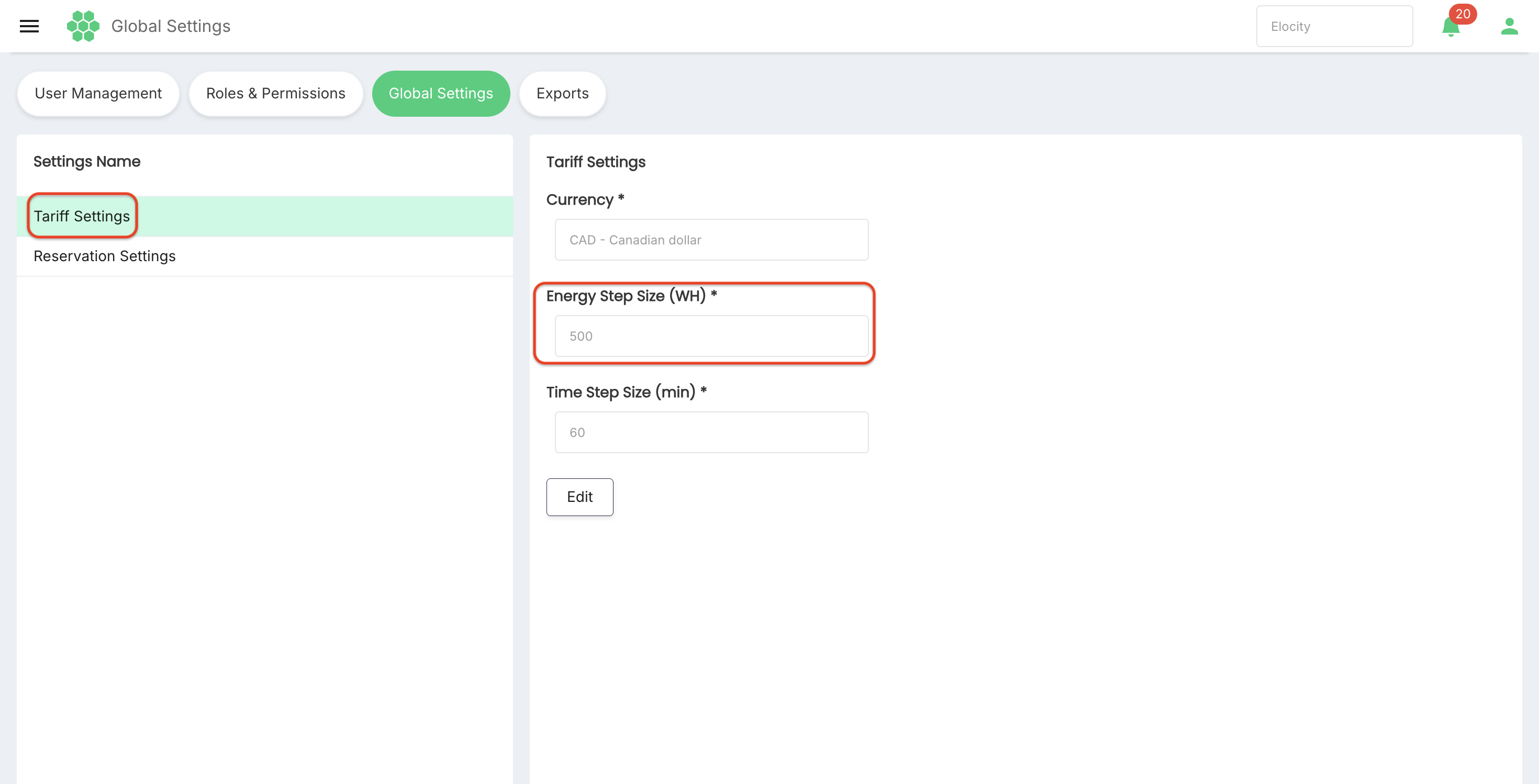 Example:
- An energy step of
1 WHprovides fine-grained energy calculation increments. - A larger step can cause consumption to be grouped or rounded according to the tariff engine's rule.
Before changing this value, confirm:
- The tariff engine's rounding direction.
- Whether partial steps are rounded up, down, or proportionally calculated.
- Compatibility with meter-value resolution.
- The expected effect on customer charges and revenue reports.
The value should be a positive whole number within the configured system limit.
6.4 Time Step Size (min)
Time Step Size (min) defines the default time block used for time-based tariff components.
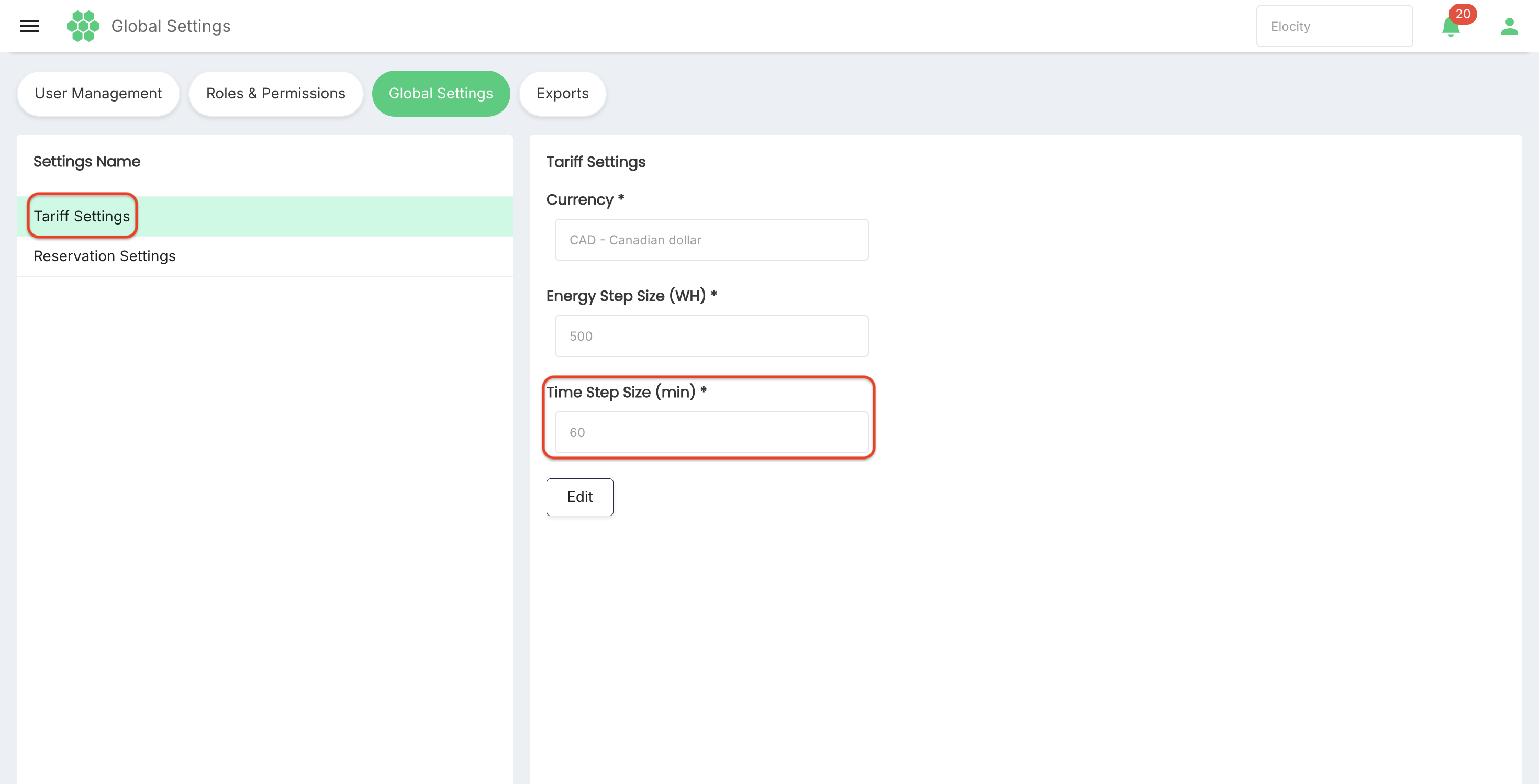
The reviewed value is 60 minutes.
Before changing it, confirm:
- The difference between elapsed charging time, parking time, and reservation time.
- The tariff engine's handling of partial time blocks.
- Compatibility with tariff schedules and grace periods.
- The expected customer-price impact.
The value should be a positive whole number within the configured system limit.
6.5 Edit Tariff Settings
- Open Global Settings.
- Select Tariff Settings.
- Record the current values for rollback and audit purposes.
- Select Edit.
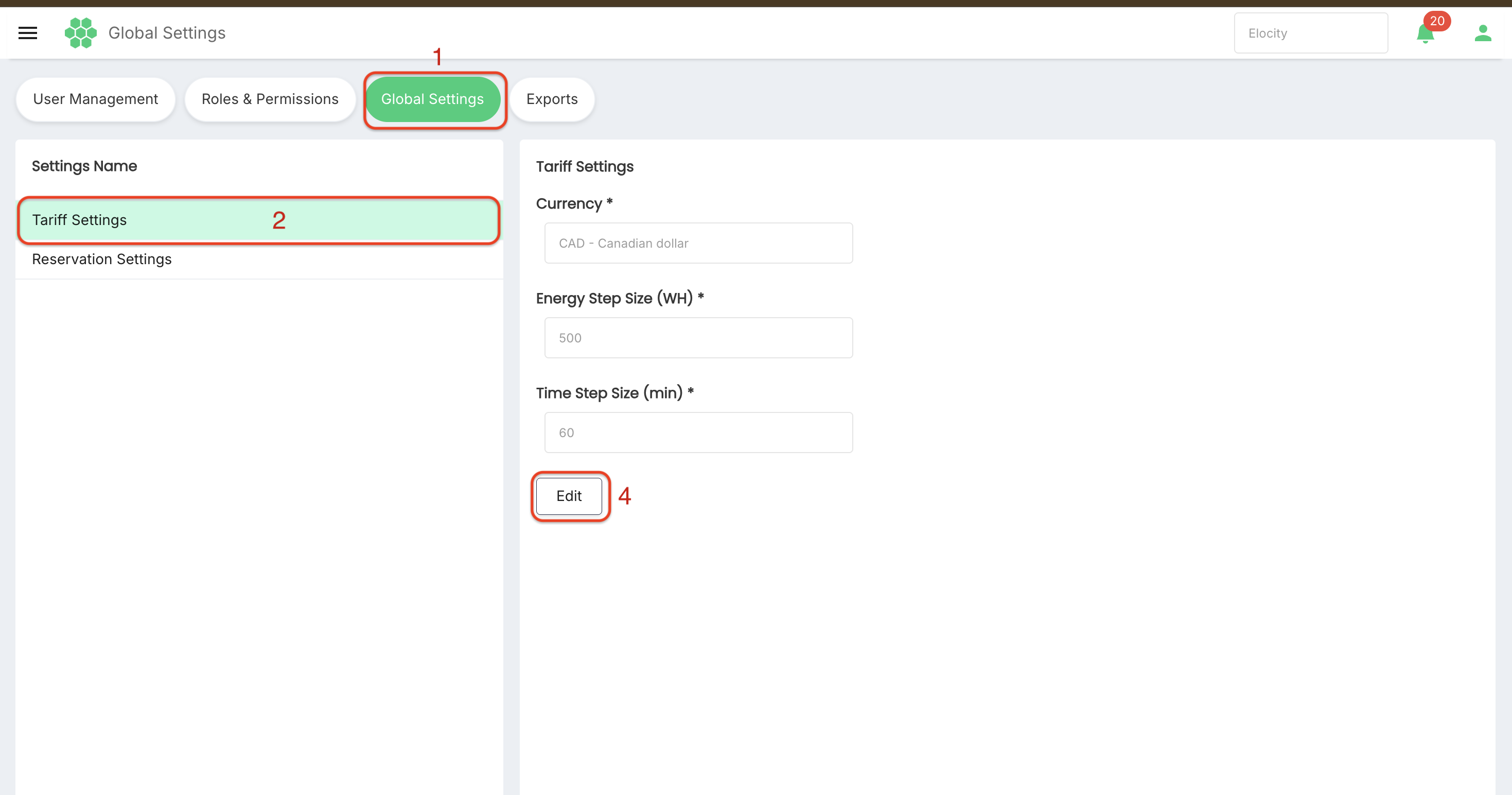
- Update only the approved fields that are enabled for your role and tenant.
- Confirm Currency, Energy Step Size, and Time Step Size.
- Select Save.
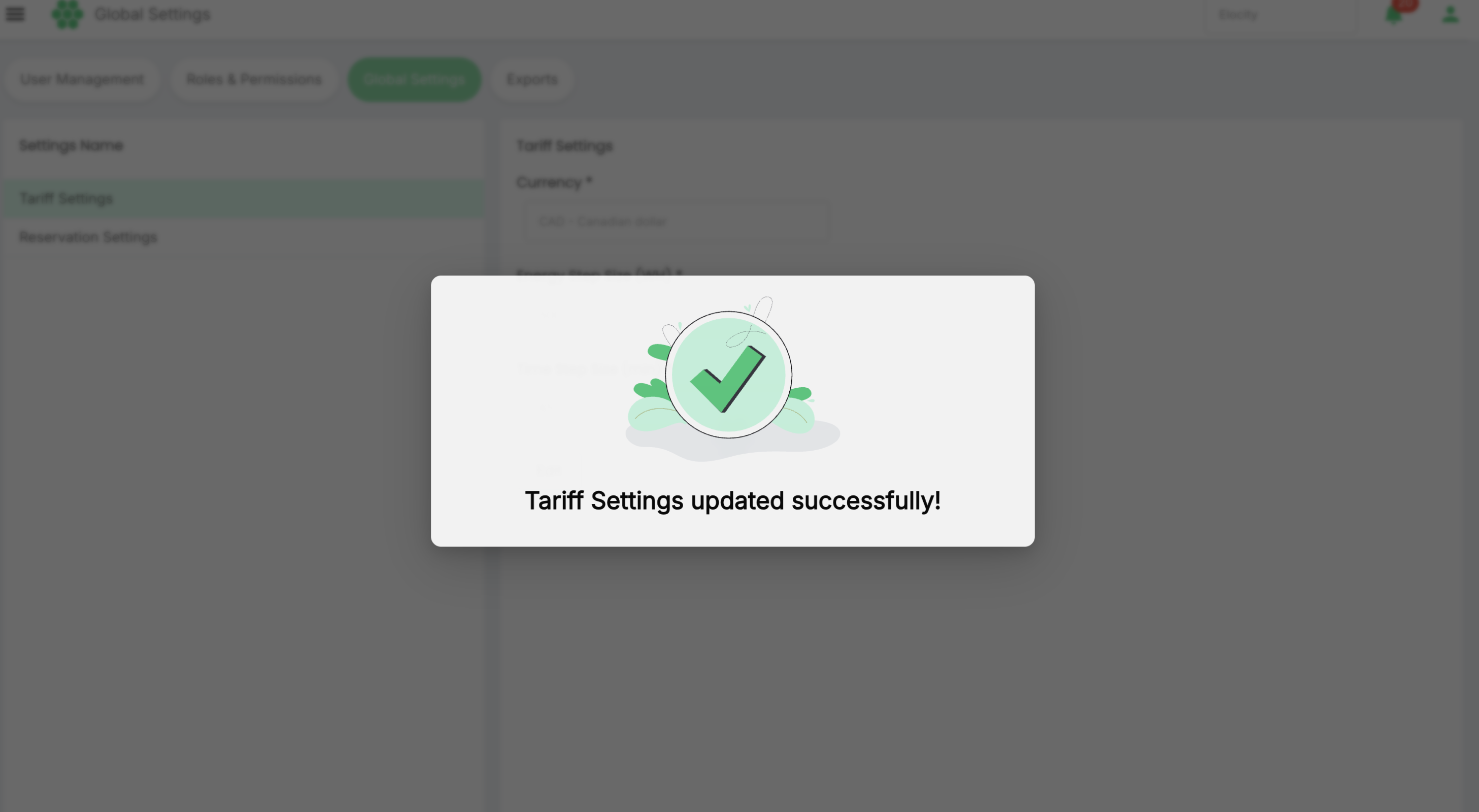
- Confirm the success feedback and return to read-only mode.
- Test a representative tariff calculation and invoice output.
If edit mode is temporarily unavailable or the page remains in a loading state, do not repeatedly submit changes. Refresh the page, confirm permissions and connectivity, and retry when the current values are stable.
7. Reservation Settings
Reservation Settings define the business defaults used by station-reservation workflows when no more specific configuration is available.
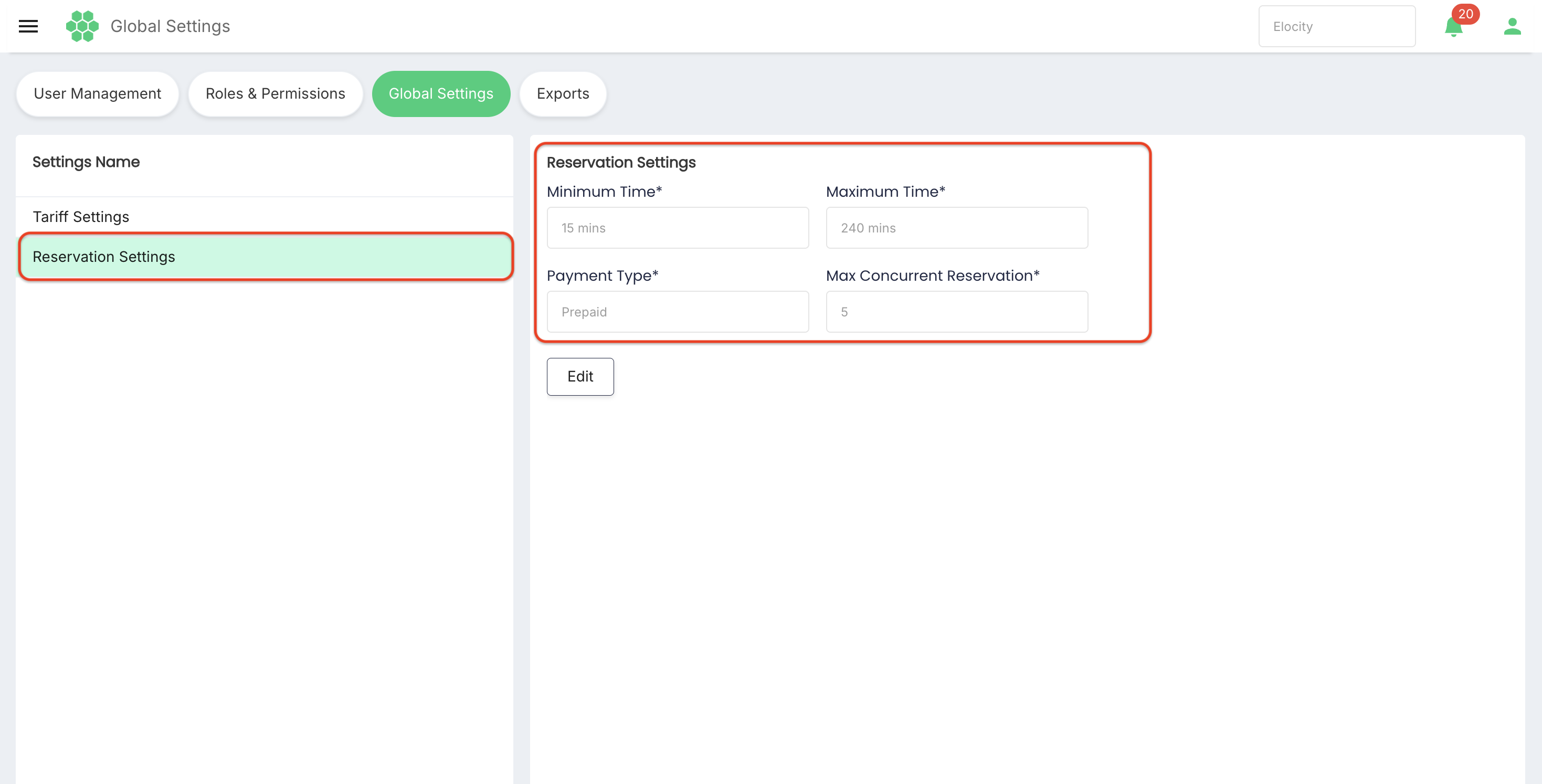
7.1 Reviewed default values
| Field | Current reviewed value | Purpose |
|---|---|---|
| Minimum Time | 30 mins | Minimum permitted reservation duration. |
| Maximum Time | 120 mins | Maximum permitted reservation duration. |
| Payment Type | Postpaid | Default payment treatment for reservations. |
| Max Concurrent Reservation | 5 | Maximum number of concurrent reservations allowed under the configured scope. |
All four fields are required in the reviewed interface.
7.2 Minimum Time
Minimum Time prevents a reservation from being created for less than the configured duration.
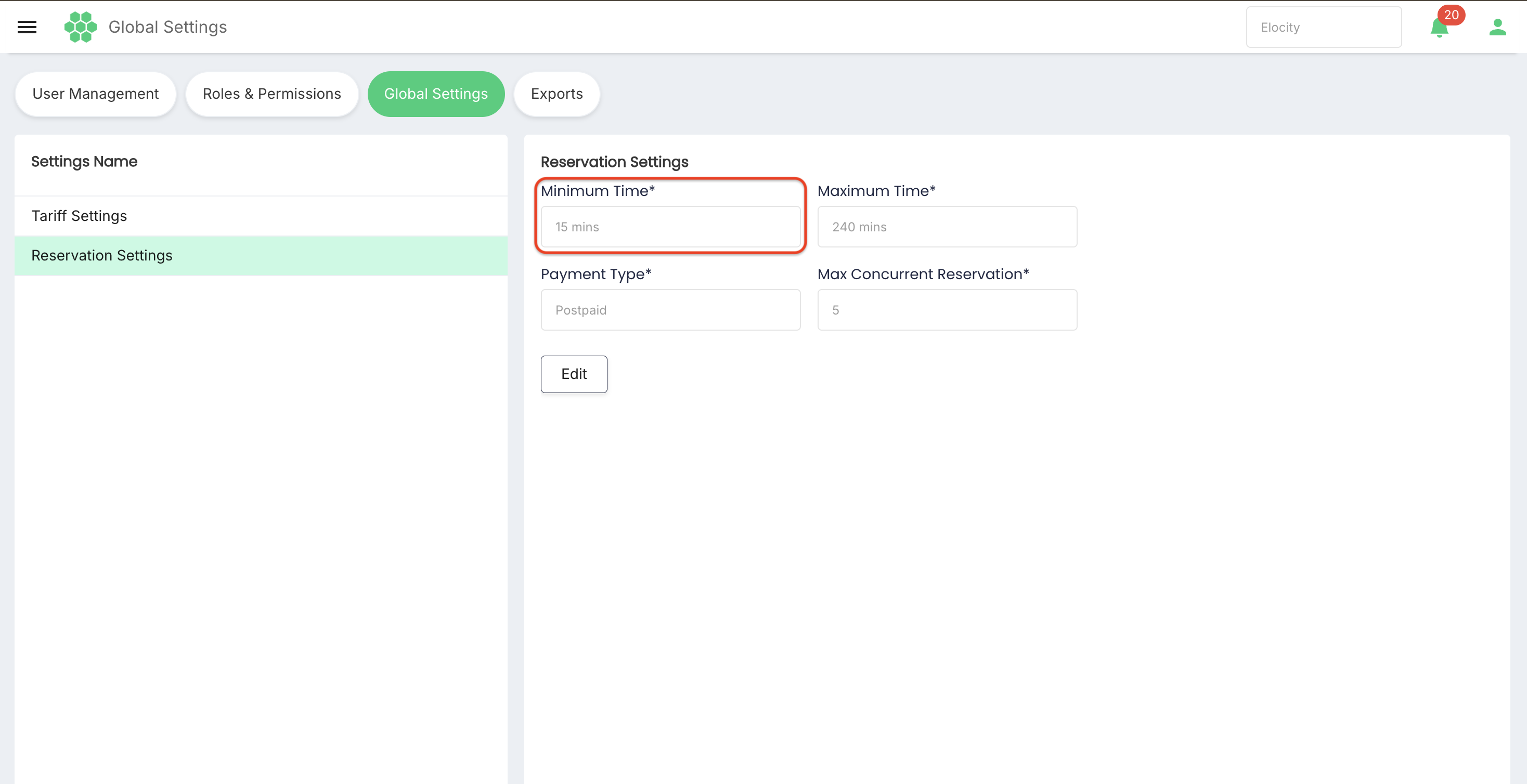 The reviewed selector provides these options:
- 15 mins
- 30 mins
The reviewed current value is 30 mins.
When choosing a minimum time, consider customer usability, charger turnover, operational overhead, and payment rules.
7.3 Maximum Time
Maximum Time limits how long a single reservation may remain valid.
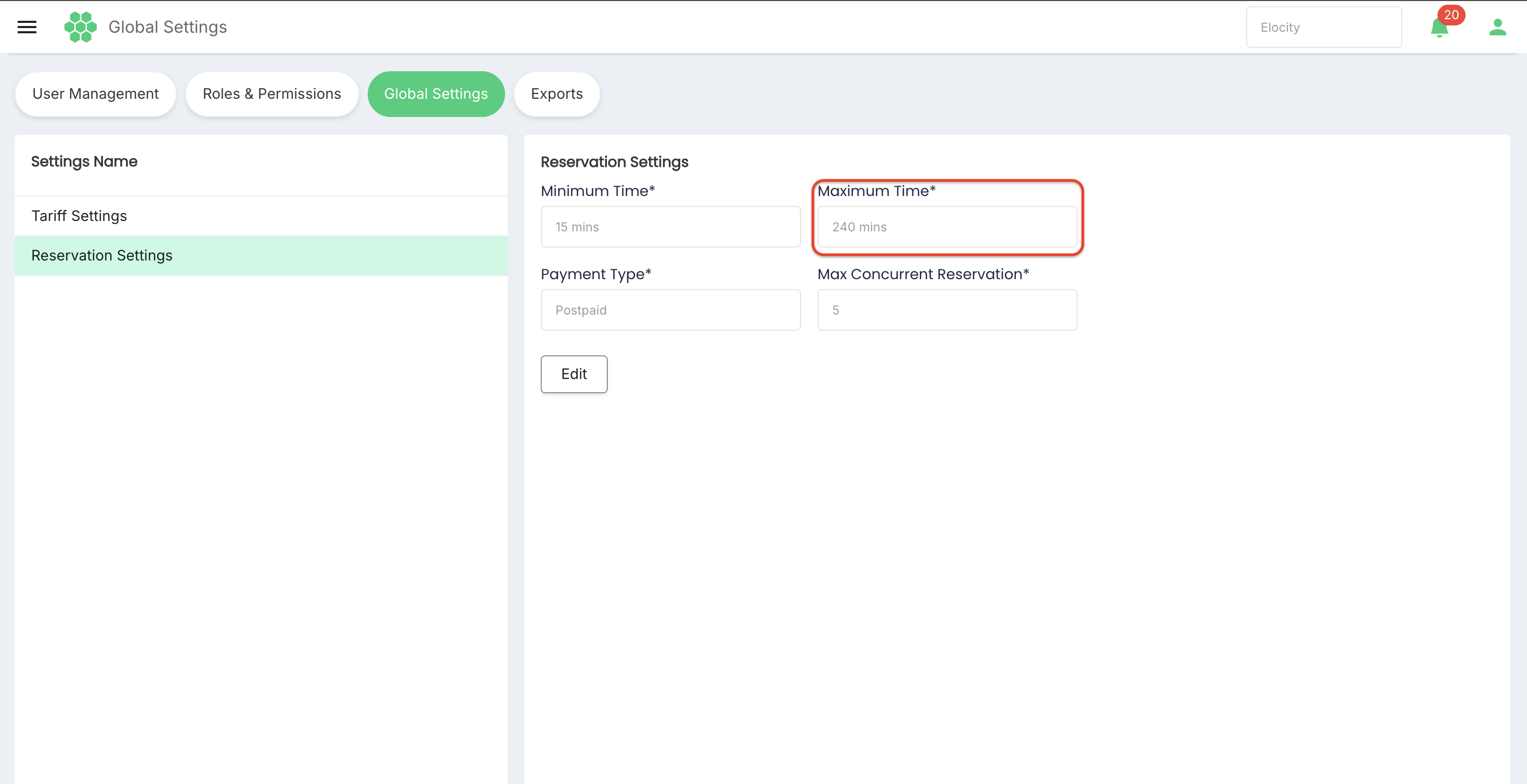
The reviewed selector provides these options:
- 90 mins
- 120 mins
- 240 mins
The reviewed current value is 120 mins.
The maximum must be greater than or equal to the minimum according to the product's validation rule. A longer maximum can reduce charger availability for other customers.
7.4 Payment Type
Payment Type identifies the default payment model for reservation processing.
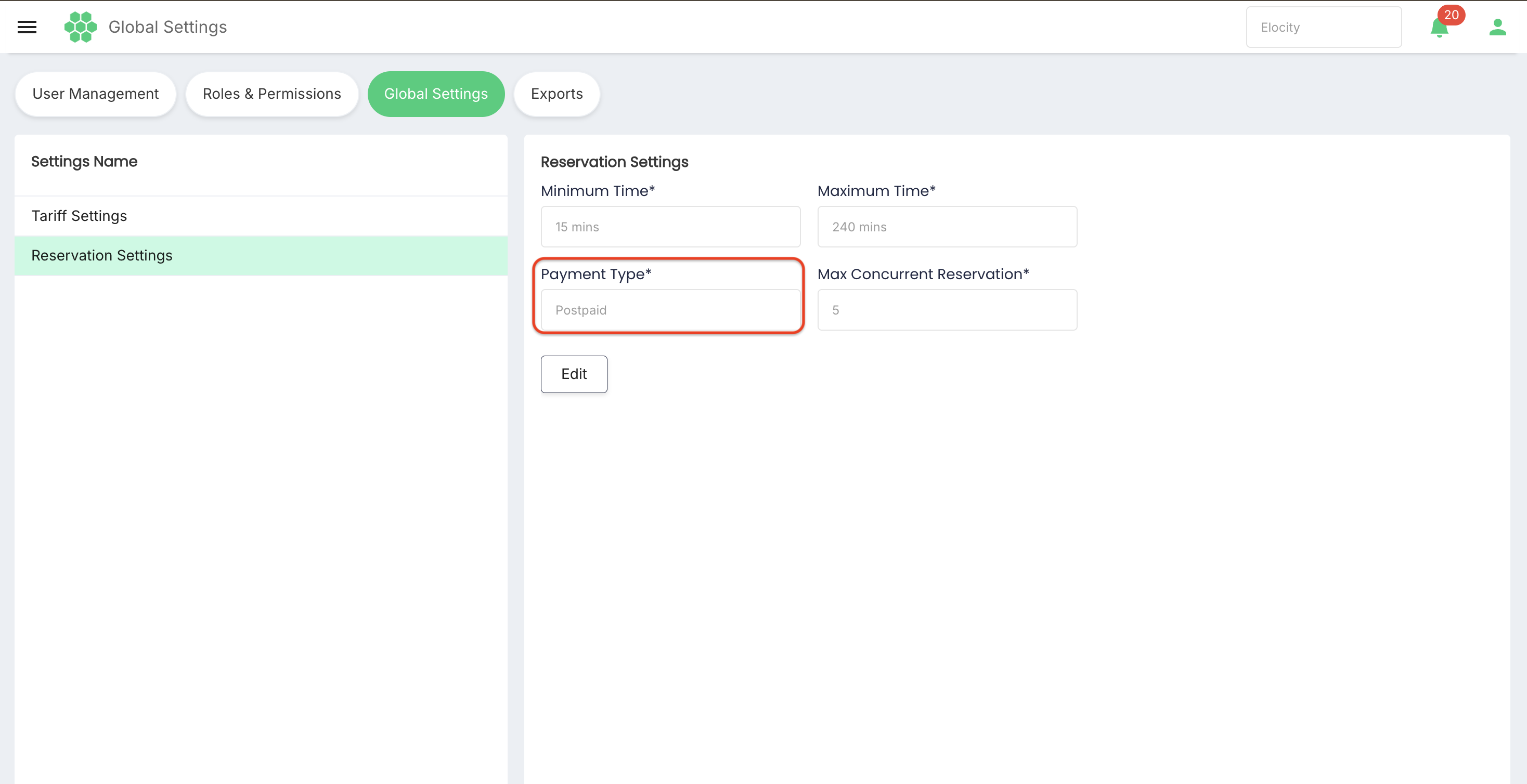
The reviewed value is Postpaid, and the field remains disabled in reservation edit mode. This indicates that the value is fixed or controlled elsewhere for the reviewed tenant and role.
Do not assume that Payment Type can be changed from Global Settings. If a different model is required, confirm the governing tenant, tariff, payment, or reservation configuration with the platform administrator.
7.5 Max Concurrent Reservation
Max Concurrent Reservation controls the maximum number of reservations that can coexist under the configured business scope.
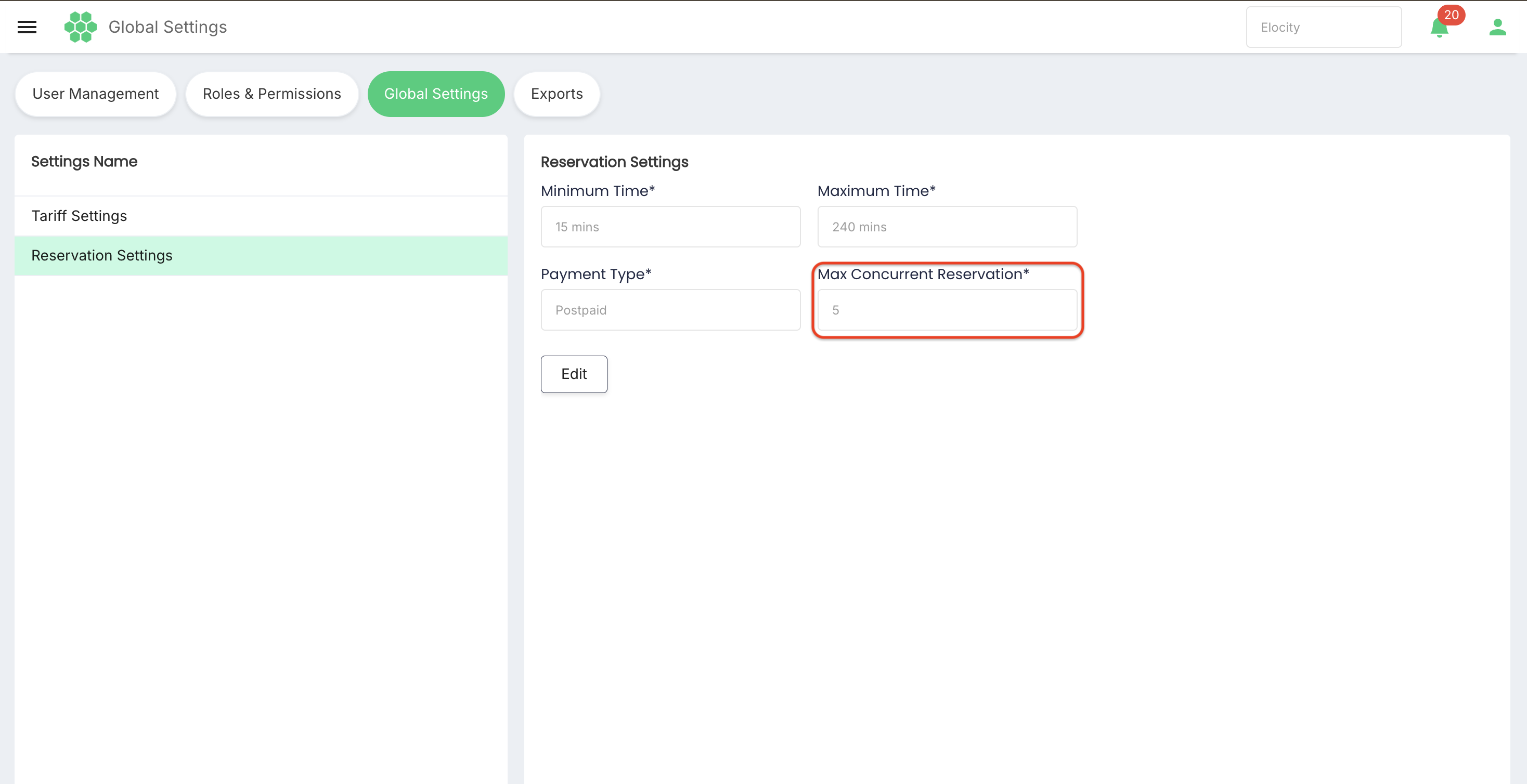
The reviewed value is 5.
The value should be a positive whole number. Before changing it, confirm whether the limit applies per customer, station, location, business, or another configured scope. This scope should be documented by the deployment owner.
A higher value can increase resource contention. A lower value can reject legitimate reservation attempts.
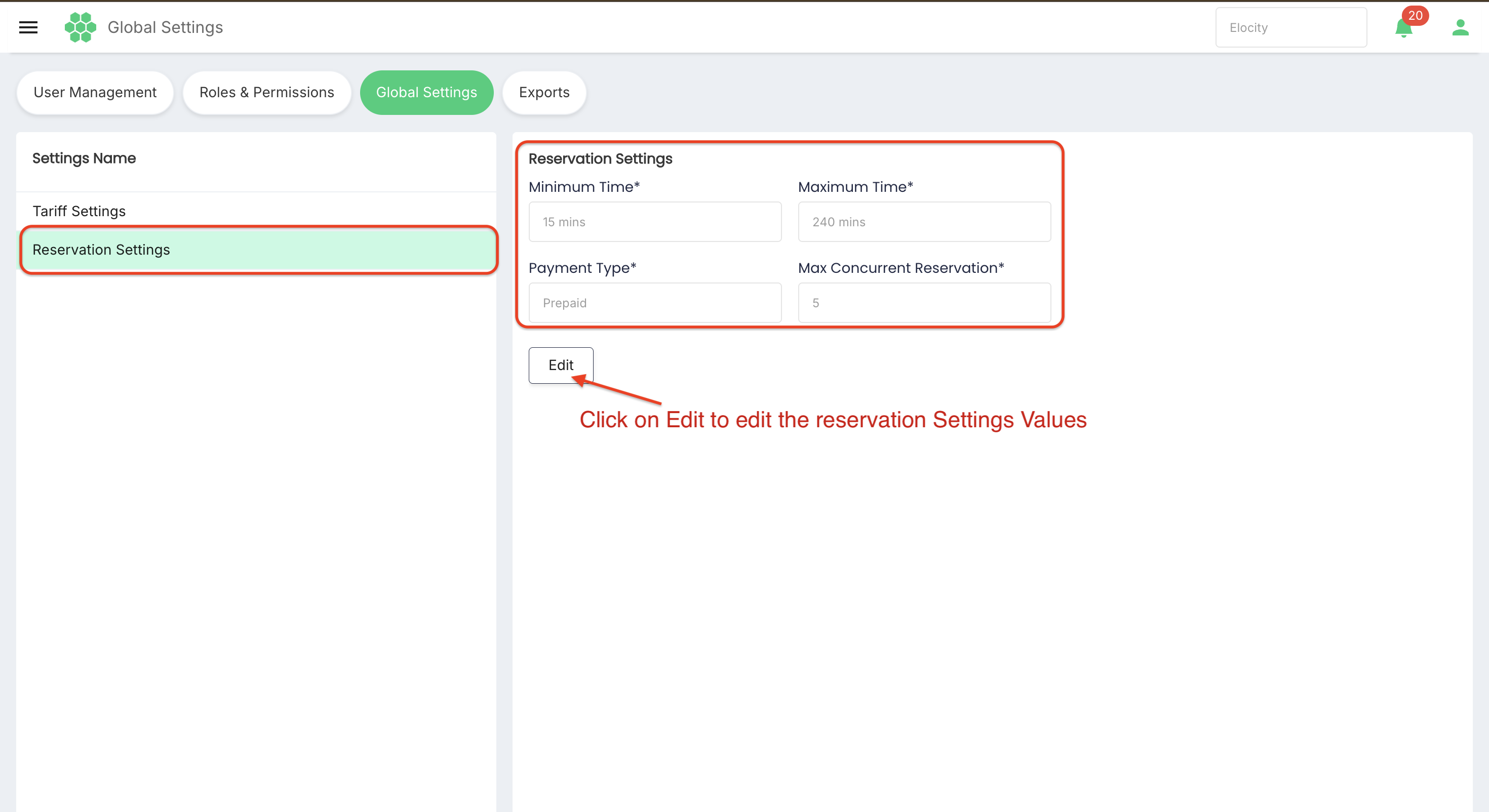
7.6 Edit Reservation Settings
- Open Global Settings.
- Select Reservation Settings.
- Review the current values.
- Select Edit.
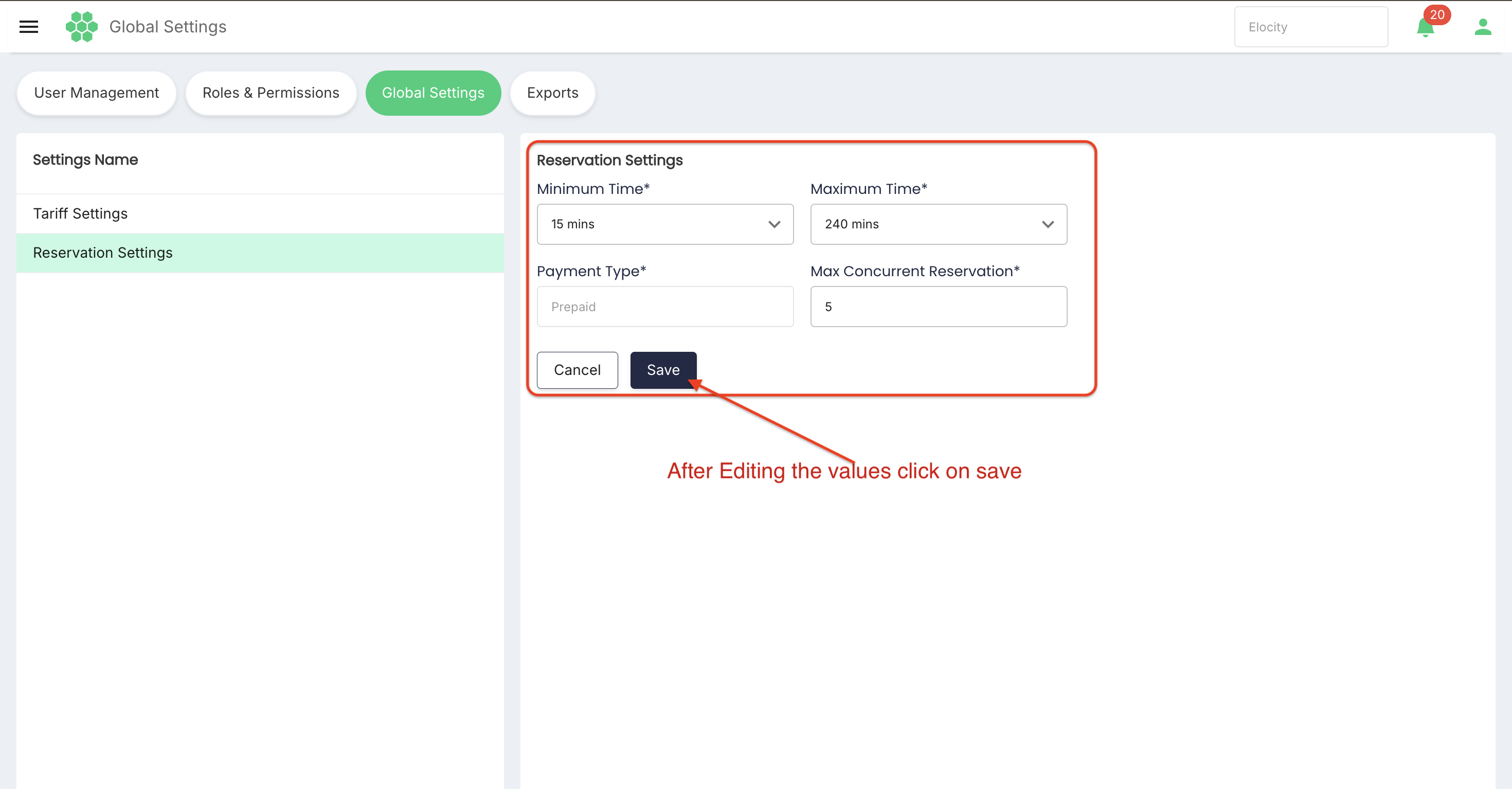
- Choose the approved Minimum Time.
- Choose the approved Maximum Time.
- Review the disabled Payment Type value.
- Enter the approved Max Concurrent Reservation value.
- Select Save.
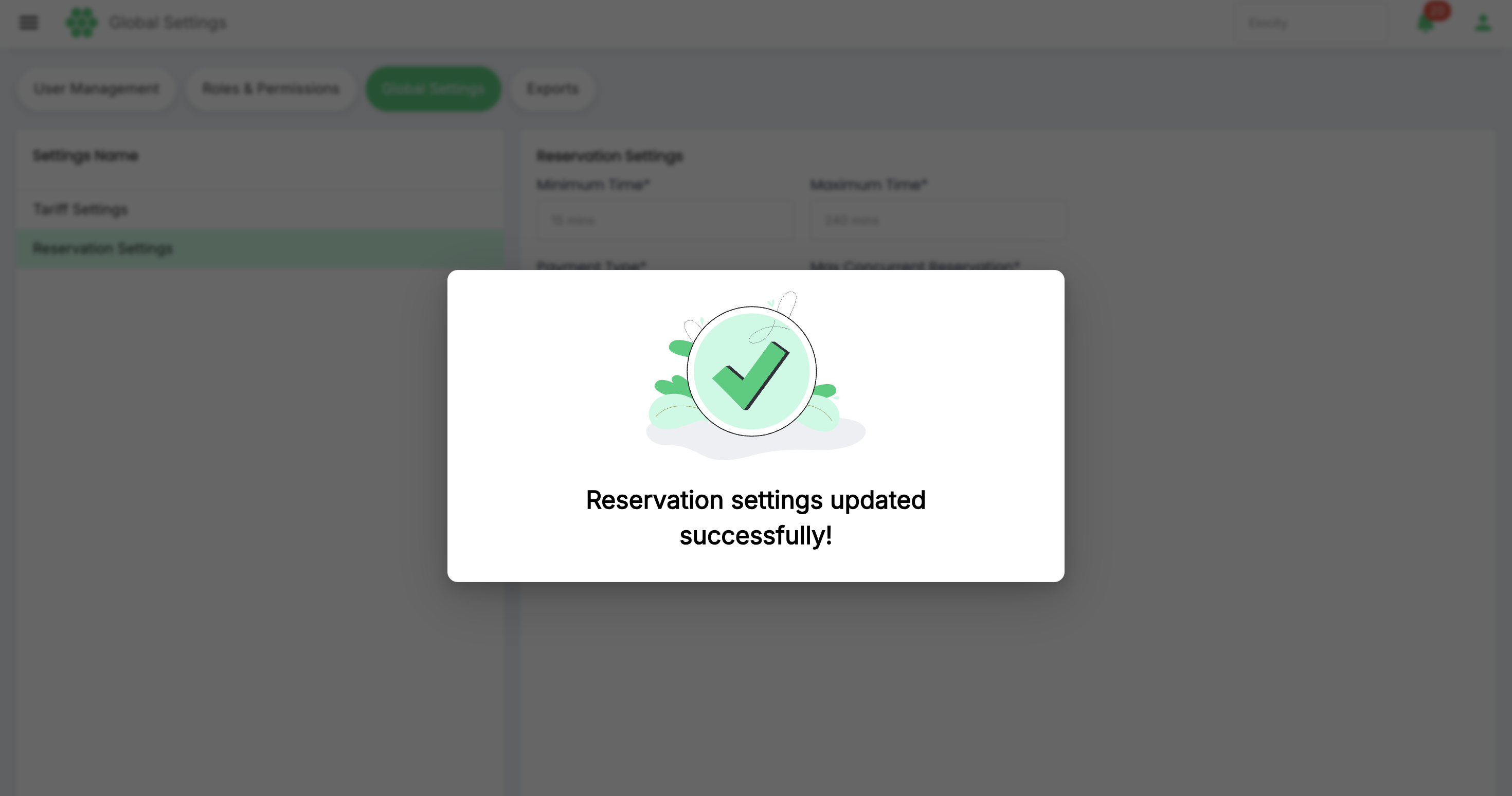
- Confirm the success feedback and verify the values in read-only mode.
Select Cancel at any time before Save to discard unsaved changes.
8. Validation rules
Global Settings should be validated before they are saved.
| Field or rule | Expected validation |
|---|---|
| Required fields | Every field marked * must contain a valid value. |
| Currency | Must be an enabled, supported currency for the business. |
| Energy Step Size | Must be a positive whole number within the supported range. |
| Time Step Size | Must be a positive whole number within the supported range. |
| Minimum Time | Must be one of the supported options. |
| Maximum Time | Must be one of the supported options and must not be lower than Minimum Time. |
| Payment Type | Must remain an approved configured value; disabled fields cannot be changed here. |
| Max Concurrent Reservation | Must be a positive whole number within the configured limit. |
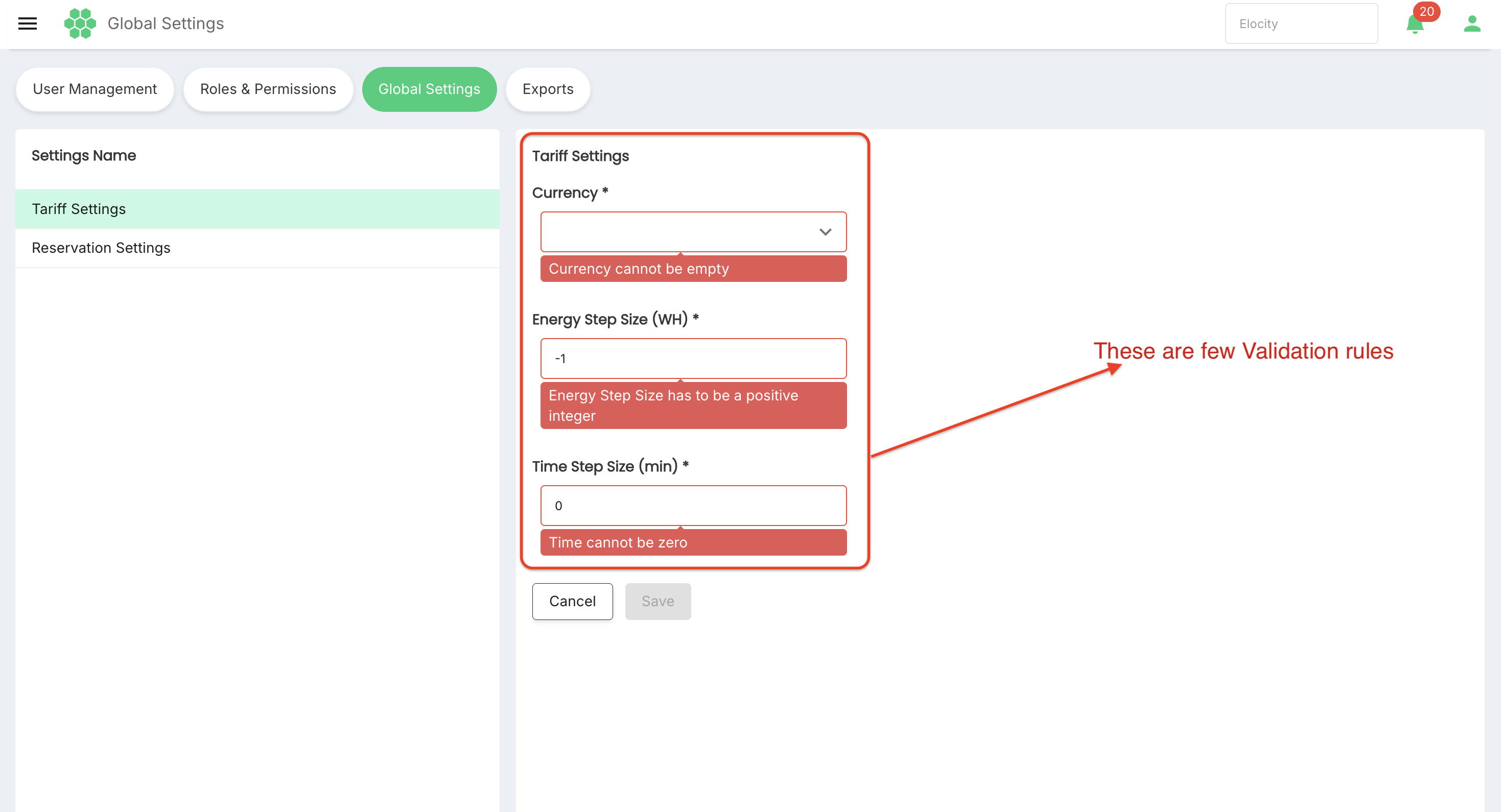
The system should display a clear error beside an invalid field and must not partially save an invalid settings group.
9. Save, propagation, and effective timing
After selecting Save, the system should:
- Revalidate all fields.
- Save the settings atomically so the group is not left partially updated.
- Display success or failure feedback.
- Return to read-only mode after a successful save.
- Record the change in the audit history.
- Propagate or invalidate cached values according to platform rules.
9.1 Existing versus new records
The effect of a global change can differ by record type:
- New records may copy the new default during creation.
- Inherited configurations may use the new value immediately or after cache refresh.
- Explicit overrides should normally retain their own value.
- Historical transactions and invoices should retain the settings used when they were processed.
- Active charging sessions or reservations should not be recalculated unexpectedly unless the business rule explicitly requires it.
Confirm these rules in the target environment before changing a production setting.
10. Recommended change-control workflow
- Identify the business reason and affected setting.
- Record the current value.
- Identify inheriting records and explicit overrides.
- Assess customer, operational, tariff, reservation, invoice, and reporting impact.
- Obtain the required approval.
- Define the new value and rollback value.
- Schedule the change outside critical activity when appropriate.
- Save the approved setting.
- Verify the displayed value after save or refresh.
- Run targeted post-change tests.
- Monitor failures, pricing differences, and reservation rejection rates.
- Roll back if acceptance criteria are not met.
11. Post-change verification
11.1 Tariff Settings
After a tariff-default change:
- Create or review a test tariff that inherits the defaults.
- Confirm Currency representation.
- Calculate a known energy amount using the Energy Step Size.
- Calculate a known time period using the Time Step Size.
- Confirm invoice and report totals.
- Verify that explicit tariff overrides remain unchanged.
11.2 Reservation Settings
After a reservation-default change:
- Attempt a reservation below Minimum Time; it should be rejected or adjusted according to product rules.
- Create a reservation at Minimum Time; it should be accepted when all other rules pass.
- Attempt a reservation above Maximum Time; it should be rejected or adjusted.
- Confirm Postpaid processing remains correct.
- Test the concurrent-reservation boundary and one request beyond it.
- Verify that specific overrides still take precedence.
Use non-production customers, locations, and stations wherever possible.
12. Common use cases
12.1 Standardize time-based tariff calculations
Set the approved Time Step Size so new or inherited tariffs calculate time consistently across the business.
12.2 Increase reservation flexibility
Change Maximum Time from 120 to 240 minutes after confirming station capacity, customer impact, and approval.
12.3 Reduce short reservations
Set Minimum Time to 30 minutes to prevent reservations shorter than the business-supported period.
12.4 Control concurrent demand
Adjust Max Concurrent Reservation after reviewing the precise scope of the limit and testing the boundary behaviour.
13. Troubleshooting
| Issue | Likely cause | Resolution |
|---|---|---|
| Edit is unavailable | User lacks permission, settings are loading, or the tenant controls the value elsewhere. | Confirm role permissions, wait for loading to finish, refresh, and contact the administrator if needed. |
| Field remains disabled in edit mode | The field is system-controlled or not editable for the current tenant. | Do not attempt to bypass the restriction; identify the governing configuration. |
| Save is unavailable | A required field is missing or invalid. | Review every required field and correct validation errors. |
| Save fails | Validation, connectivity, concurrency, or server processing failed. | Preserve the intended values, refresh current state, and retry only after identifying the cause. |
| Maximum Time is rejected | It is below Minimum Time or is not a supported option. | Choose a valid supported value that is not lower than the minimum. |
| Step size is rejected | Value is zero, negative, non-numeric, or outside the supported range. | Enter a positive whole number within the permitted range. |
| New default does not appear elsewhere | A specific override exists, data was copied at creation, or cache propagation is pending. | Check override precedence and propagation rules; refresh or create a controlled test record. |
| Existing records changed unexpectedly | Records inherit values dynamically or an override was removed. | Review audit history, inheritance, and rollback requirements. |
| Reservation requests fail after change | Duration or concurrency limits became more restrictive. | Review affected requests and restore the approved prior values if necessary. |
| Tariff totals differ after change | Step-size rounding or currency assumptions changed. | Compare calculations with the previous configuration and tariff-engine rules. |
14. Audit and security requirements
Global Settings should be protected by least-privilege access. The system should record:
- Business or tenant identifier.
- Setting group and field name.
- Previous value and new value.
- User who made the change.
- Date and time of change.
- Approval or change reference when supported.
- Success or failure result.
Sensitive administrative actions should follow the platform's authentication, authorization, and session-security policies. Users must not be able to edit another business's defaults.
15. Pre-save checklist
- Correct business selected.
- Correct settings group selected.
- Current values recorded.
- Affected inheritance and overrides reviewed.
- New values approved.
- Currency and calculation implications reviewed.
- Reservation duration and concurrency implications reviewed.
- Validation rules satisfied.
- Rollback values documented.
- Post-change tests prepared.
- Maintenance or communication plan prepared if required.
16. Reviewed values summary
| Setting group | Setting | Reviewed value |
|---|---|---|
| Tariff Settings | Currency | CAD — Canadian dollar |
| Tariff Settings | Energy Step Size | 1 WH |
| Tariff Settings | Time Step Size | 60 min |
| Reservation Settings | Minimum Time | 30 mins |
| Reservation Settings | Maximum Time | 120 mins |
| Reservation Settings | Payment Type | Postpaid |
| Reservation Settings | Max Concurrent Reservation | 5 |
These values are a snapshot of the reviewed tenant on 4 August 2026. They are not recommendations for every HIEV deployment.
17. Glossary
| Term | Definition |
|---|---|
| Global Setting | Business-level default used when no applicable lower-level configuration is defined. |
| Default | A value automatically used or offered when a more specific value is absent. |
| Override | A more specific configuration that takes precedence over a default. |
| Inheritance | The process by which an object uses a setting from a higher configuration level. |
| Energy Step Size | Energy increment used by a step-based tariff calculation. |
| Time Step Size | Time increment used by a step-based tariff calculation. |
| Minimum Time | Shortest reservation duration allowed by the applicable default. |
| Maximum Time | Longest reservation duration allowed by the applicable default. |
| Concurrent Reservation | A reservation that exists at the same time as another within the configured scope. |
Verification note: This manual is based on read-only review of the HIEV CPMS Canada Global Settings interface on 4 August 2026. No setting was saved or modified. Reservation edit controls and supported time options were inspected and then cancelled. Tariff edit mode remained in a loading state during review, so its values and Edit control were verified without submitting a change.