Designing New Tariff Profile
The Design New Tariff page allows administrators to create utility tariffs that represent the electricity cost charged by the utility provider. These tariffs can be configured using either Time of Use (TOU) pricing or Tiered pricing, depending on how electricity rates are billed.
The following sections explain each tariff type and the steps to configure them.
Time of Use
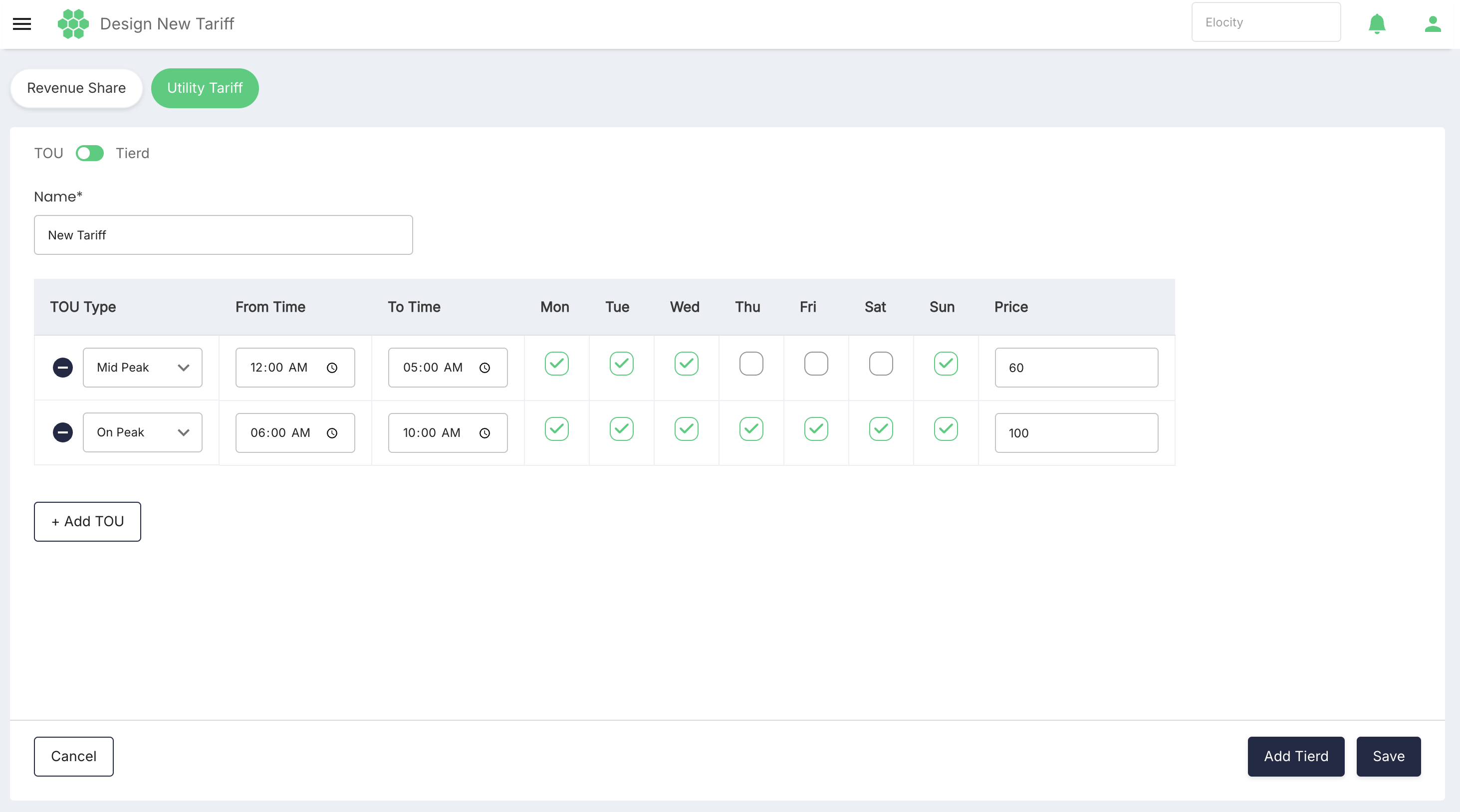
A Time of Use (TOU) tariff applies different electricity rates based on the time of day and the day of the week. This allows administrators to define separate prices for Off-Peak, Mid-Peak, and On-Peak periods, ensuring that energy costs accurately reflect the utility provider's pricing schedule.
To create a TOU utility tariff follow these steps:
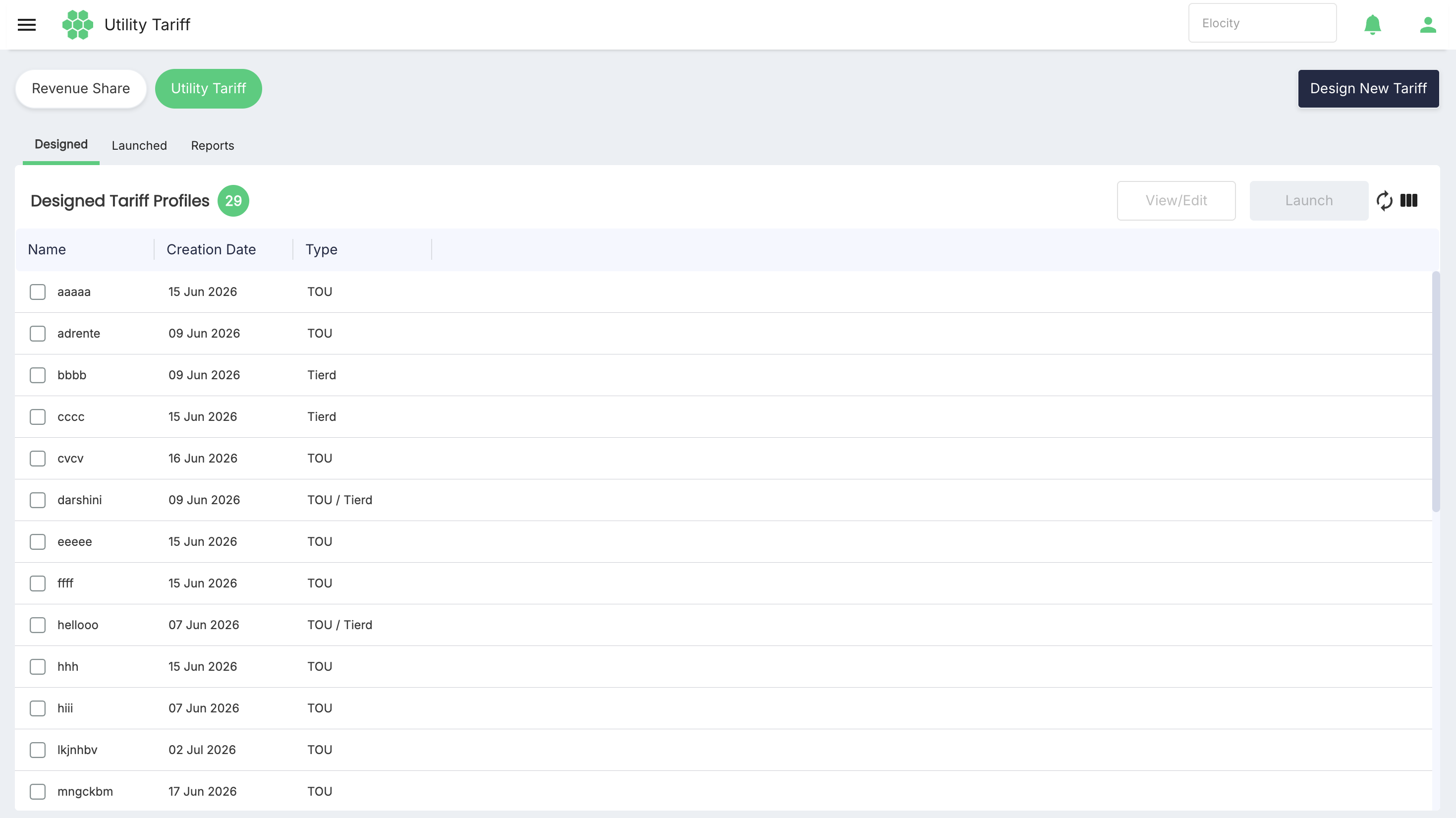
- Navigate to Revenue Share > Utility Tariff. The following screen appears:
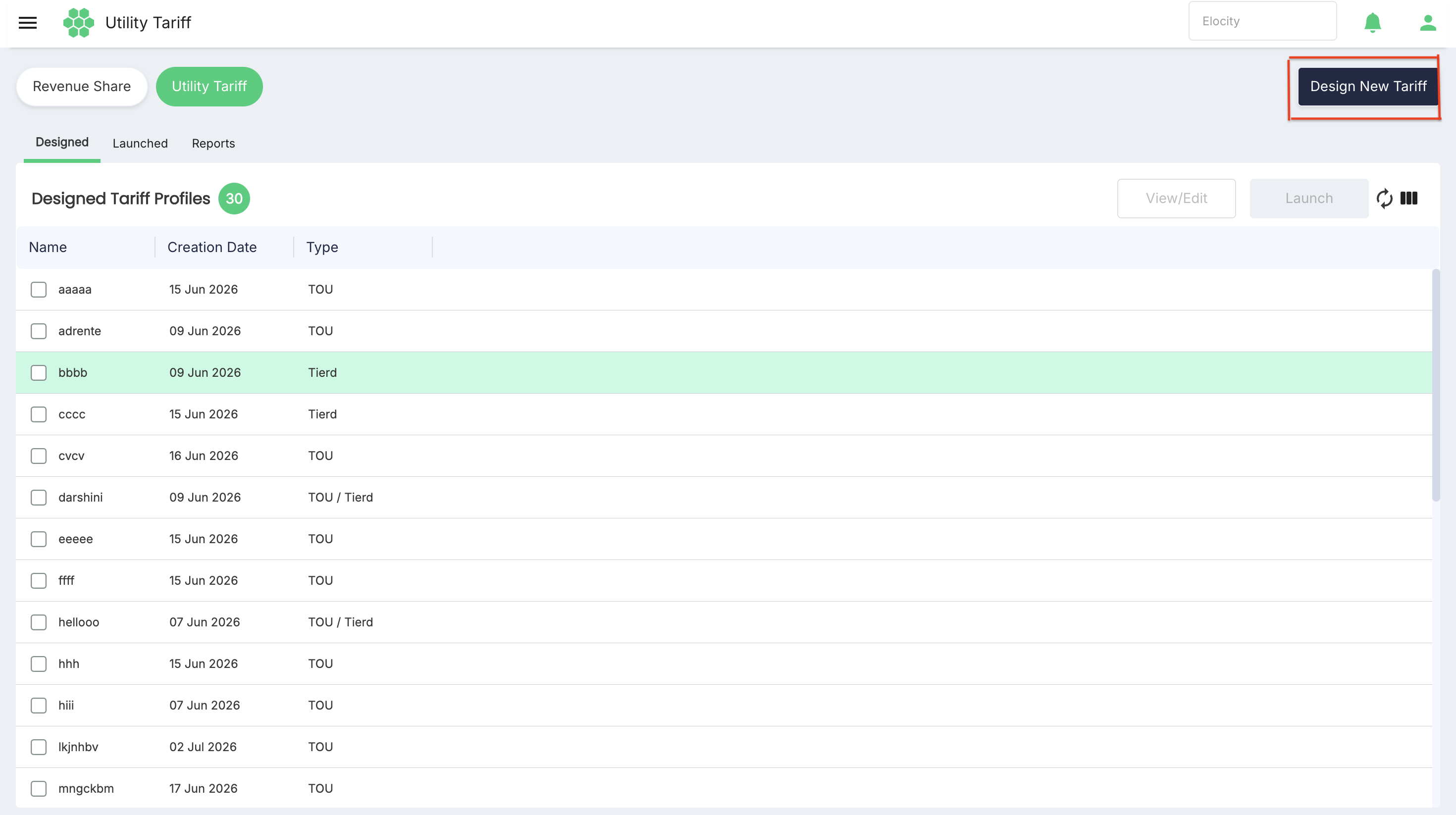
- Now click on Design New Tariff button.
- Now enter tariff Name and add the TOU.
- Finally click Save button.
Tierd
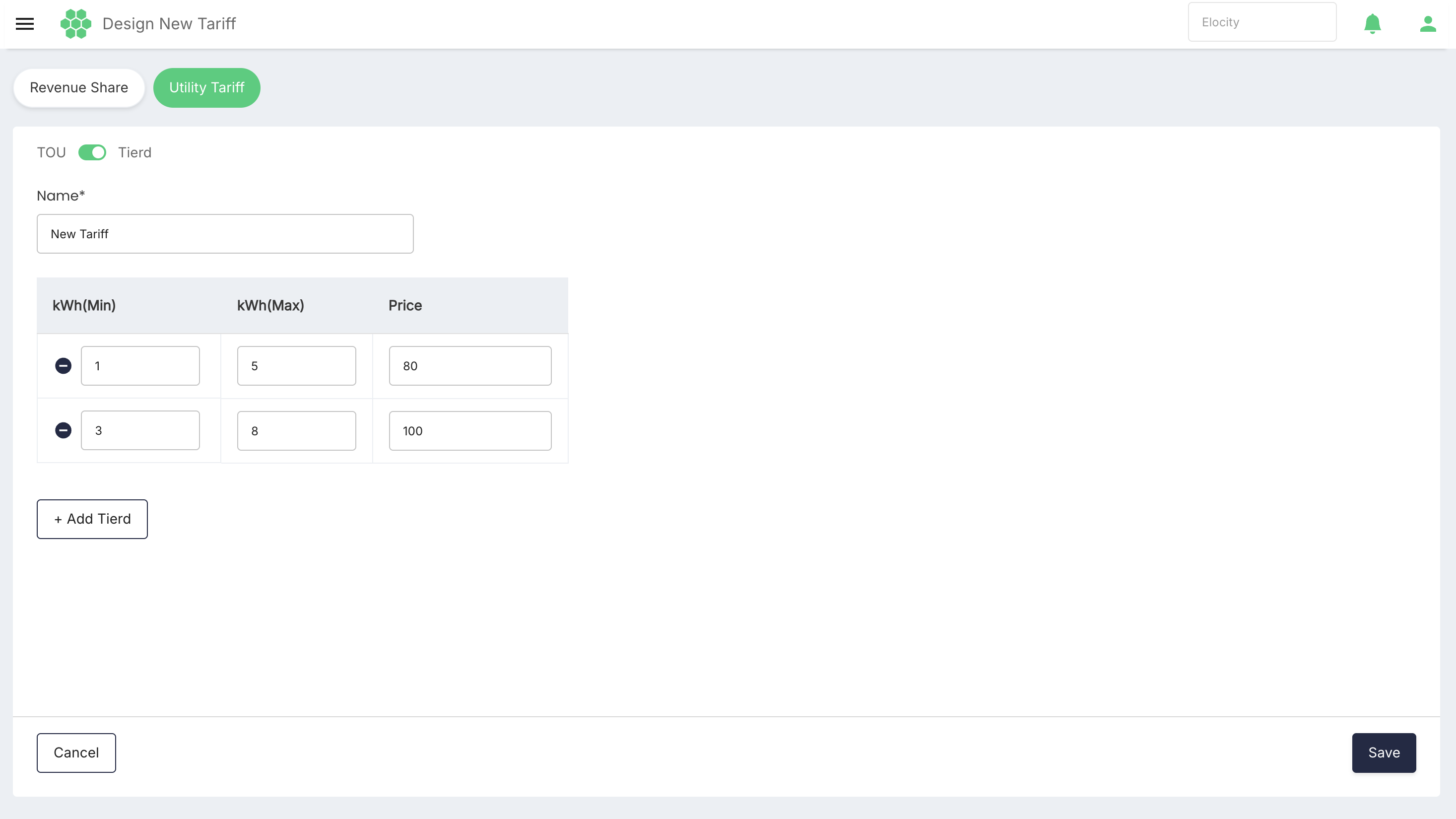
A Tiered tariff defines electricity pricing based on energy consumption ranges (kWh). Different rates can be assigned to different consumption tiers, allowing electricity costs to increase or vary as energy usage changes.
To create a Tiered utility tariff follow these steps:
- Navigate to Revenue Share > Utility Tariff. The following screen appears:
- Now click on Design New Tariff button.
- Now enter tariff Name and add the Tiered.
- Finally click Save button.