Launching New Tariff
Launching a Tariff Profile
Launching a tariff profile refers to the process of activating a predefined tariff for use at one or more EV charging stations. This step involves making the tariff profile operational so that it governs the charging costs for users interacting with those stations.
To launch a tariff profile, follow these steps:
-
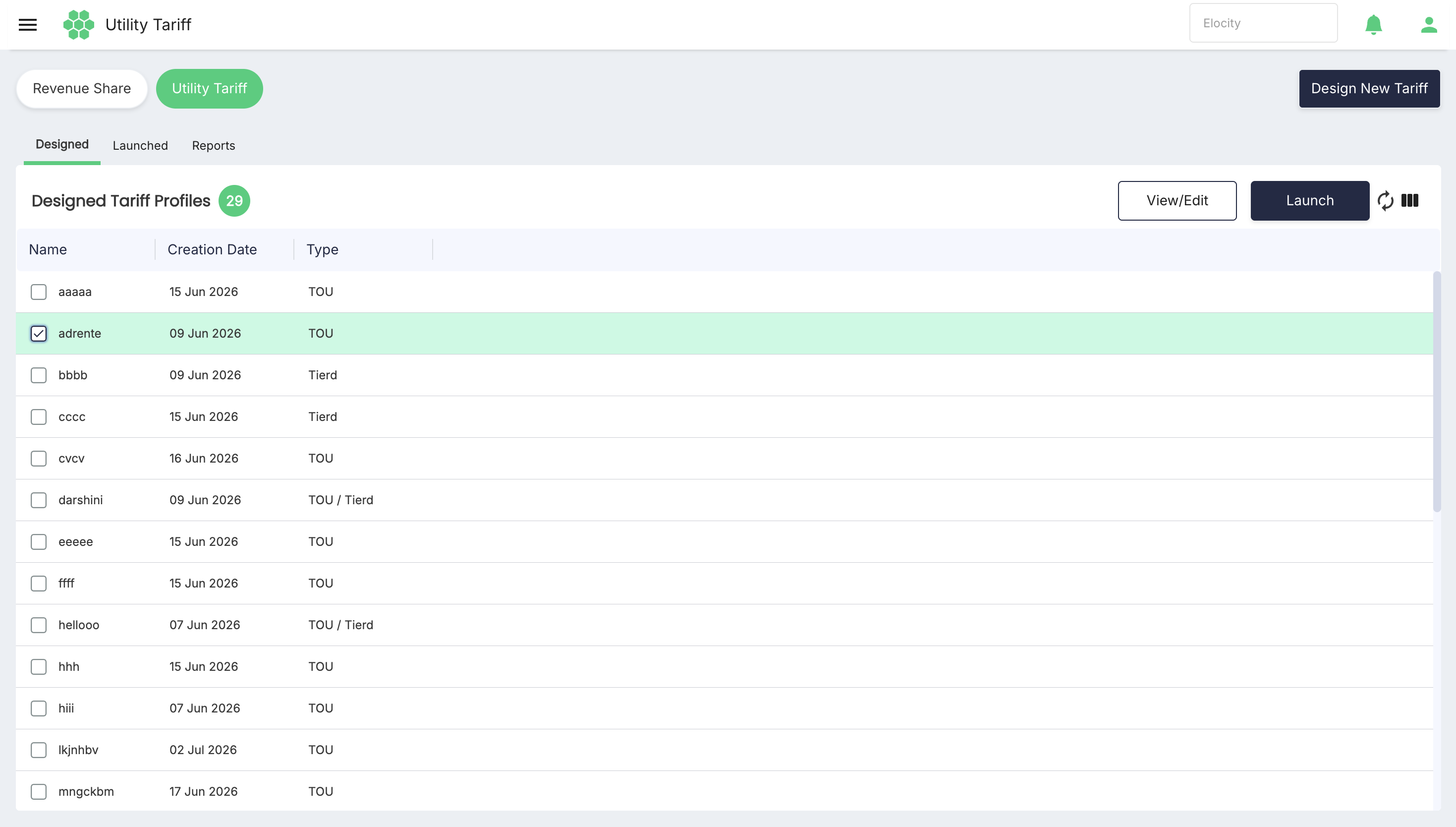
Navigate to Revenue Share > Utility Tariff. The following screen appears:
-
Under Designed Tariff Profiles, select the tariff you want to launch.
-
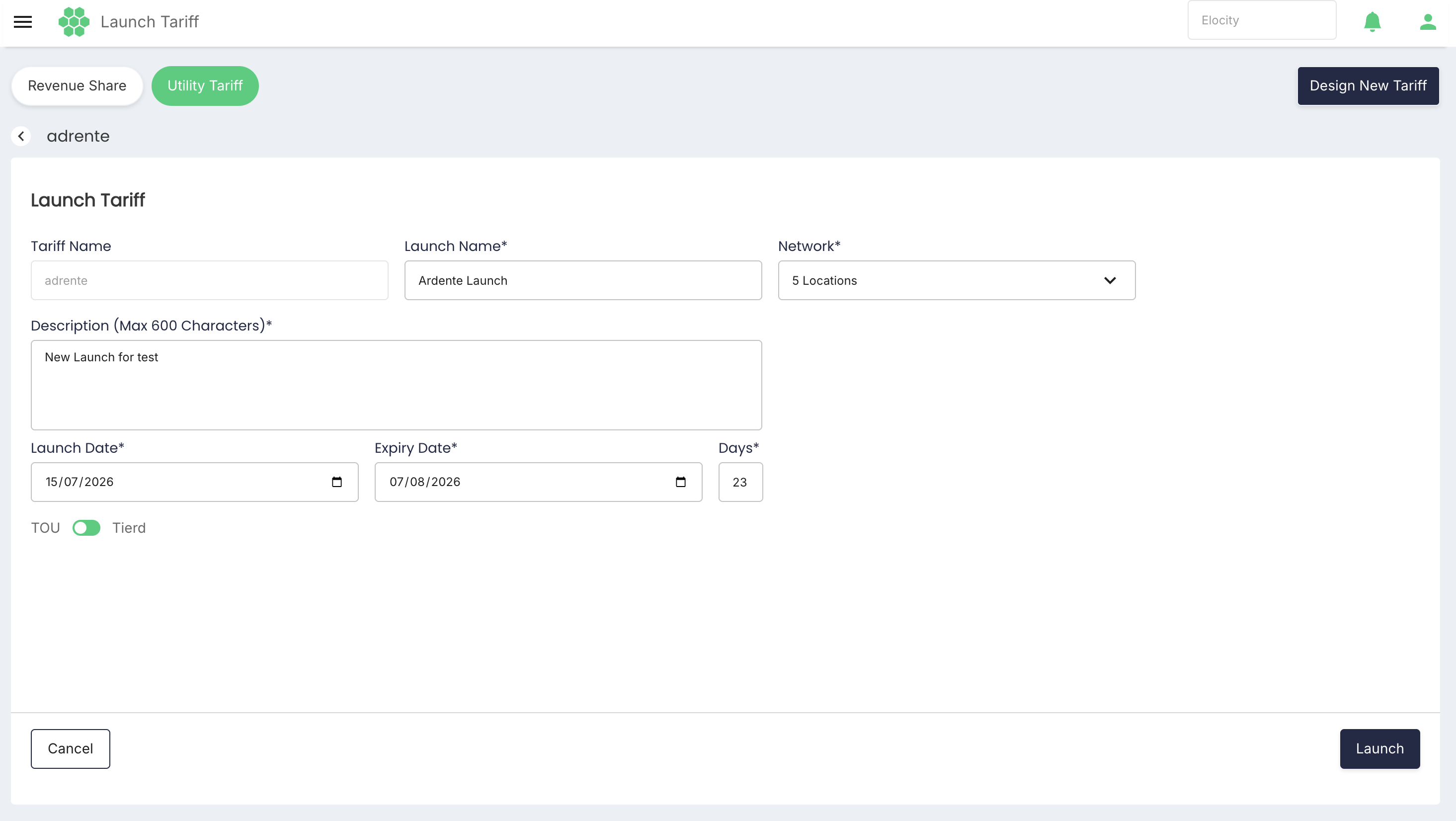
Click the Launch button. The following screen appears:
-
Provide the following details:
- Launch Name: Provide a unique and descriptive launch name for the new tariff setting.
- Network: Choose the locations where the new tariff must be implemented.
- Description: Enter information for reference.
- Select the Launch Date and Expiry Date
- Select the type of tariff either TOU or Tierd
-
Click Launch.
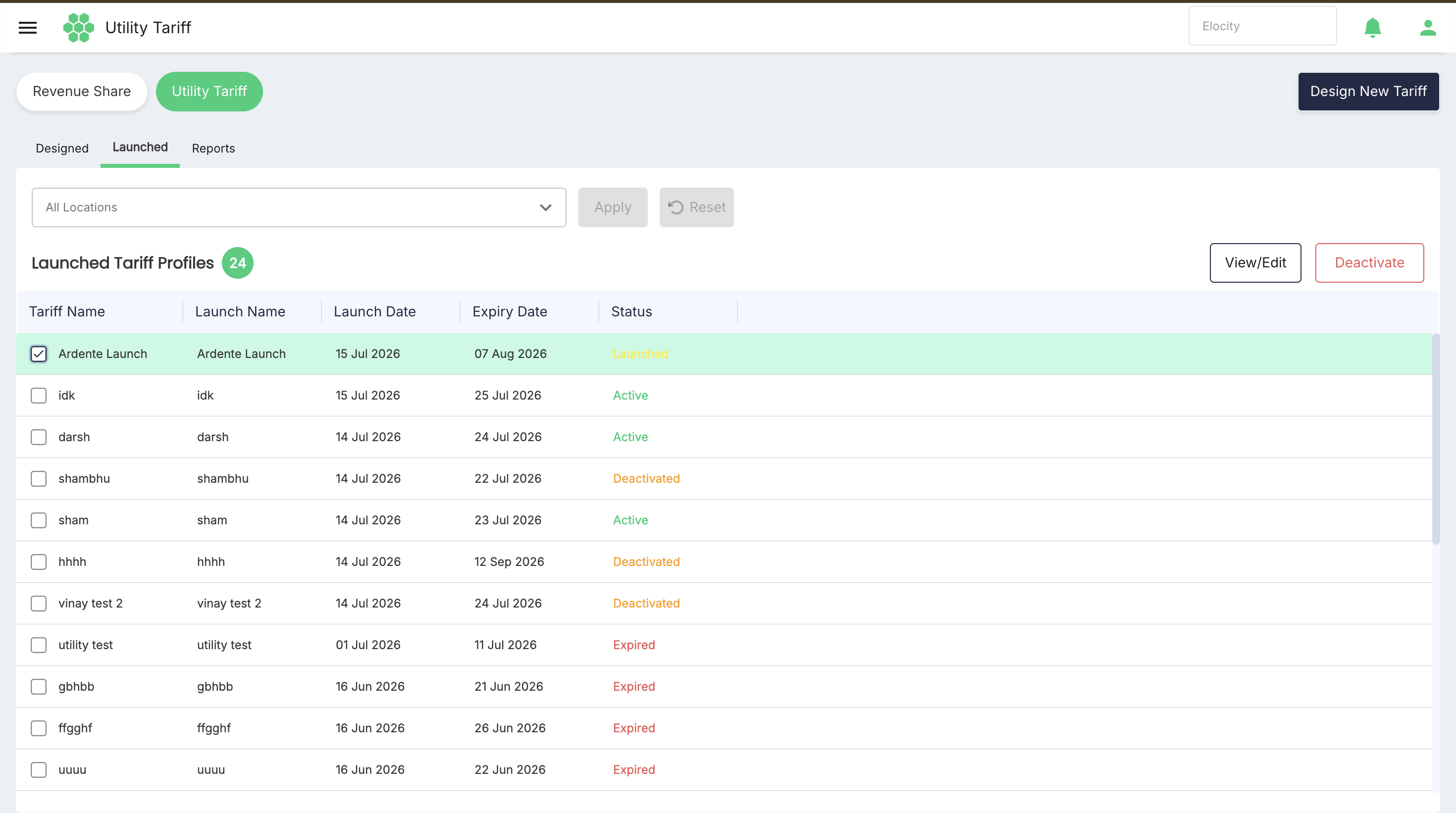
The Designed Tariff Profile moves to the Launched Tariff Profiles section.
Viewing/Editing Launched Tariff Profile
To edit the launchedd tariff profile, follow these steps:
- In the launched tariff section, select the tariff you want to edit.
- click the View/Edit button.
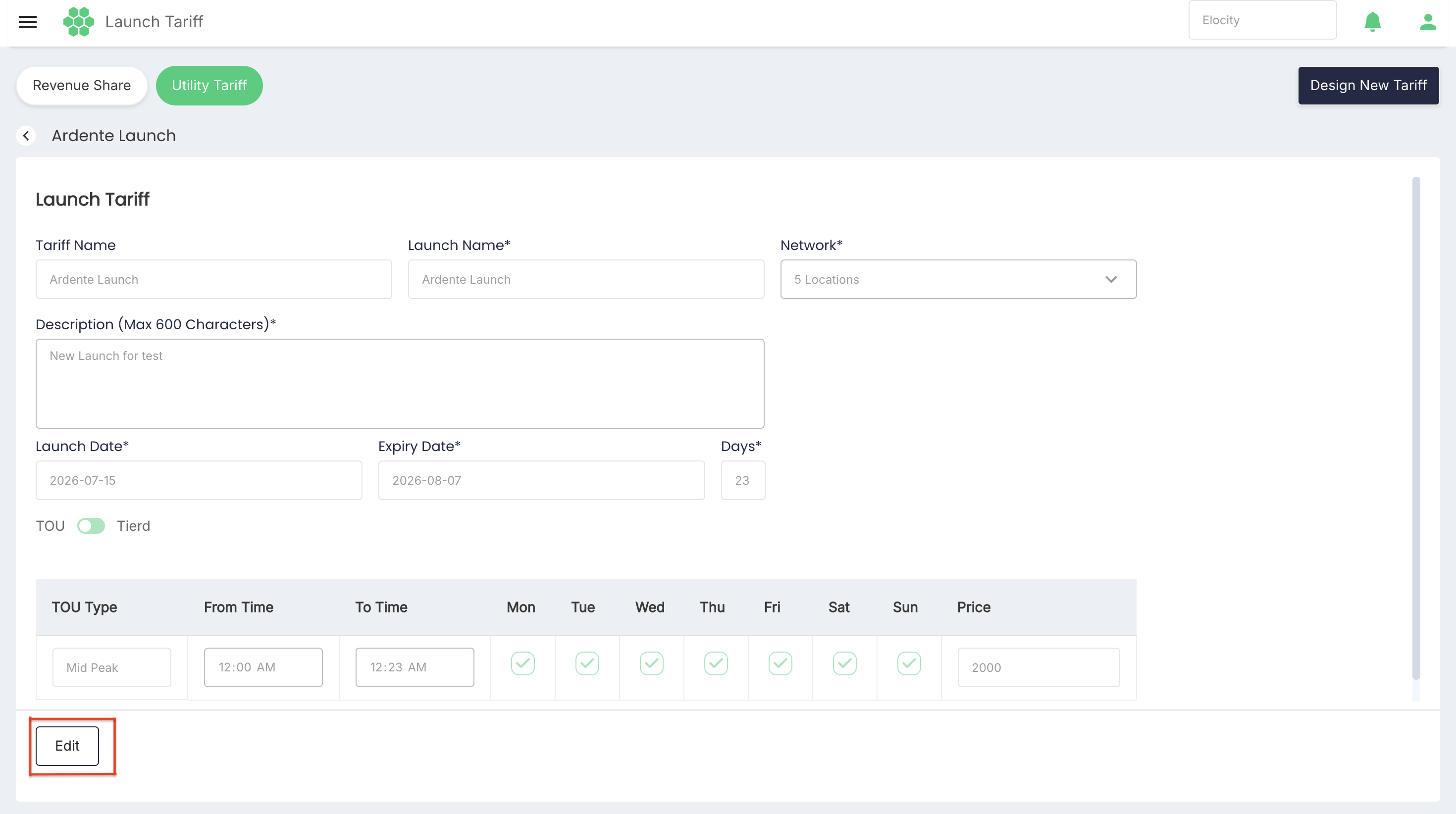
- Click on Edit button and make the desired changes
- Click Save
Deactivating a Tariff Profile
To deactivate a tariff profile, follow these steps:
-
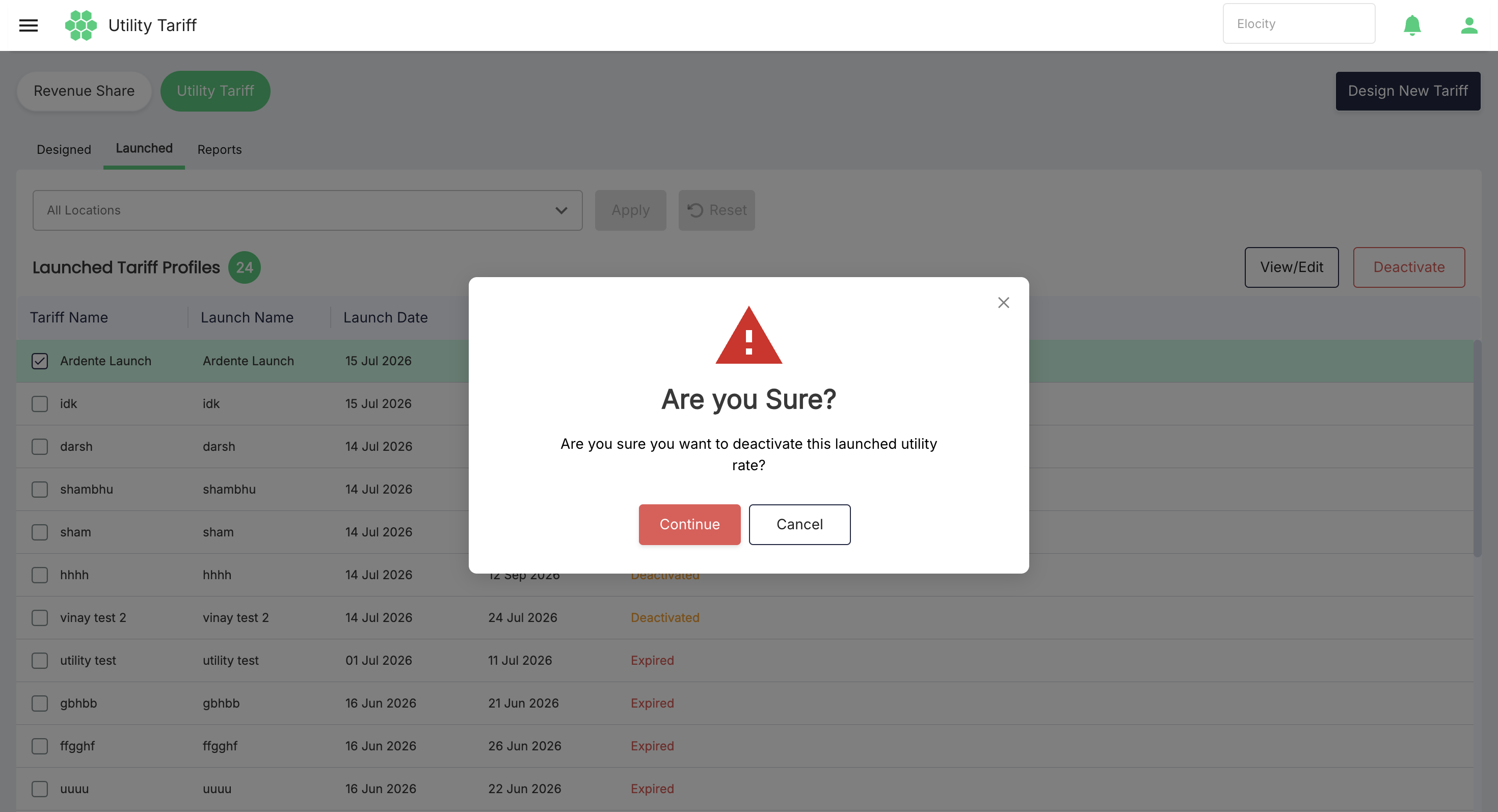
In the Launched Tariff Profiles section, select the tariff you want to deactivate.
-
Click the Deactivate button. The following screen appears:
-
Click on the Continue button.
Relaunching the Tariff
You can relaunch the tairff after deactivating by using the following steps:
-
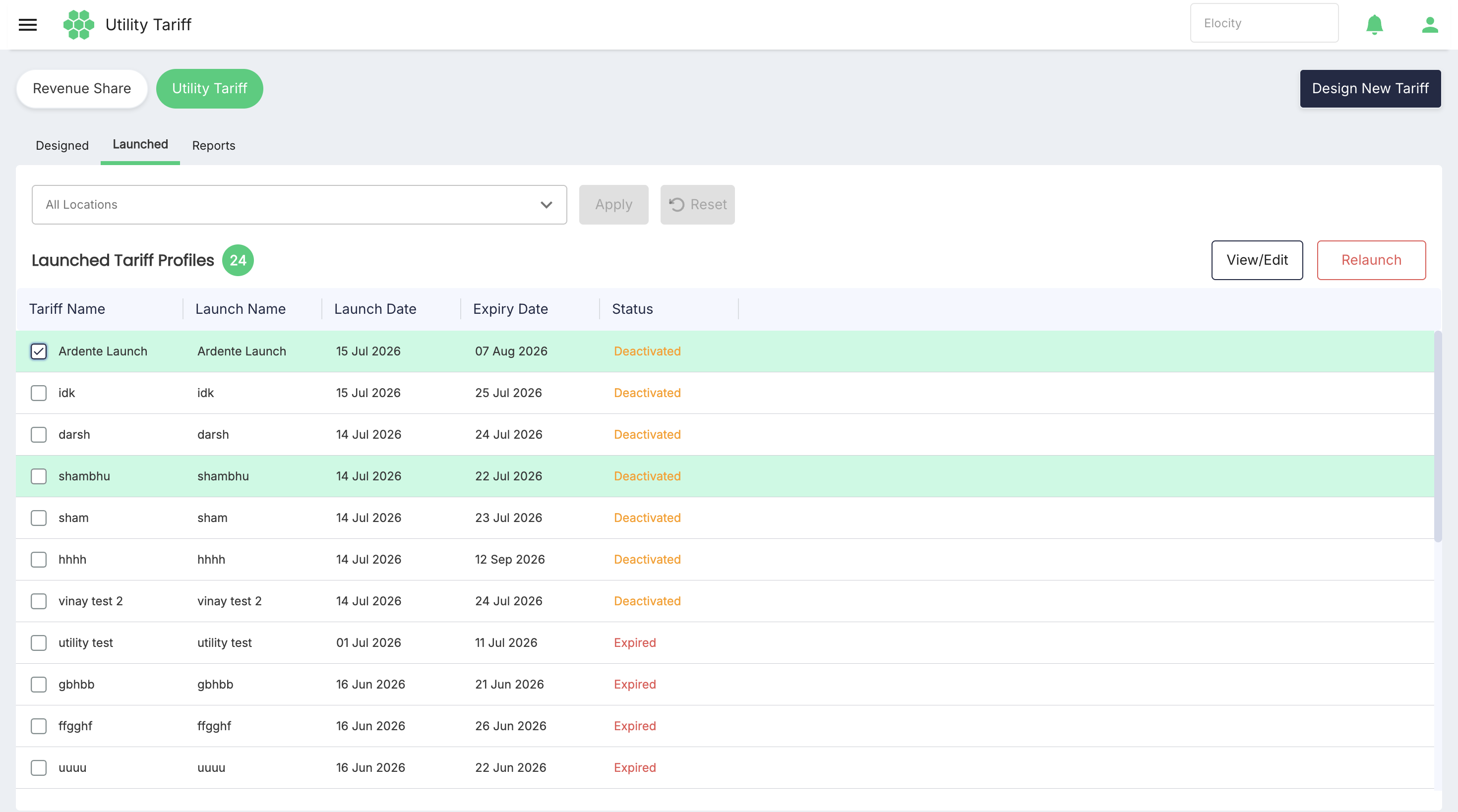
Navigate to Revenue Share > Utility Tariff. The following screen appears:
-
Under Launched Tariff Profiles, select the tariff whose Status is Deactivated.
-
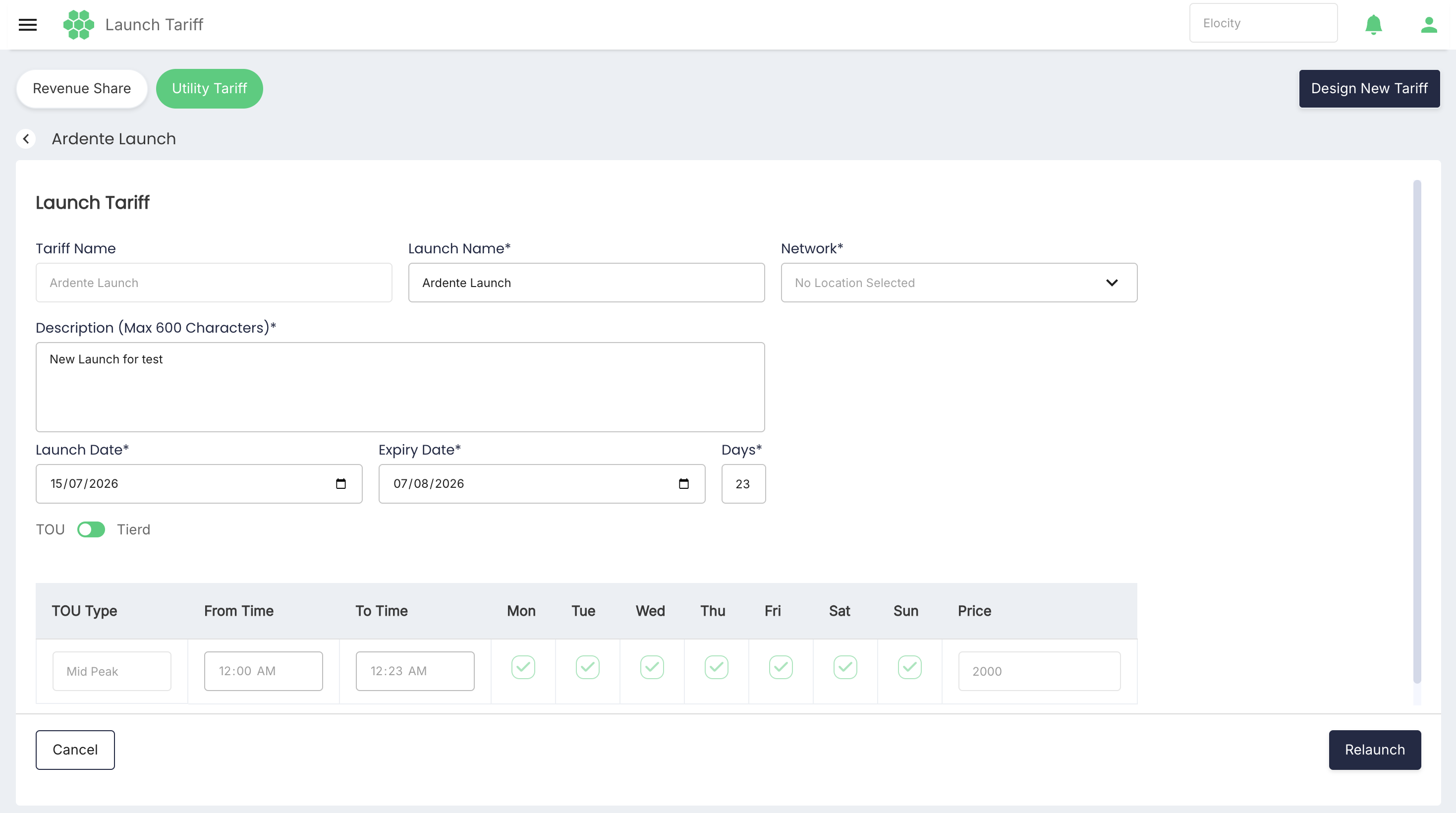
Click the Relaunch button. The following screen appears:
-
Provide the following details:
- Launch Name: Provide a unique and descriptive launch name for the new tariff setting.
- Network: Choose the locations where the new tariff must be implemented.
- Description: Enter information for reference.
- Select the Launch Date and Expiry Date
- Select the type of tariff either TOU or Tierd
-
Click Relaunch.